SQL Server - DTS
Update
DTS has been superseded by SQL Server Integration Services (SSIS).
See import data in SQL Server 2016 for for an introduction to the Import and Export Wizard.
You may occasionally find yourself in the situation where you need to transfer a lot of data into your SQL Server database from another database or spreadsheet. Or, perhaps you need to export data from your database into another database or spreadsheet. In SQL Server, DTS makes this an easy task.
DTS (Data Transformation Services) is a set of graphical tools that allows you to transfer data between disparate sources into one or more destinations.
DTS Tools
SQL Server DTS includes the following tools, which enable you to create, schedule, and execute DTS packages.
| Tool | Description |
|---|---|
| DTS Import/Export Wizard | Enables you to transfer data to and from a SQL Server database. |
| DTS Designer | Enables you to build complex DTS packages containing workflow and event-driven logic. The DTS Designer can also be used to modify packages created with the DTS Import/Export Wizard. |
| DTS Run utility | Allows you to schedule and run a DTS package. |
| dtsrun utility | Allows you to run DTS packages from the command prompt and schedule them using batch files. |
| DTS Query Designer | A graphical user interface that allows you to build SQL queries. |
Importing and Exporting Data
The following steps demonstrate how you can use the Import/Export Wizard to import data into your SQL Server database from another data source.
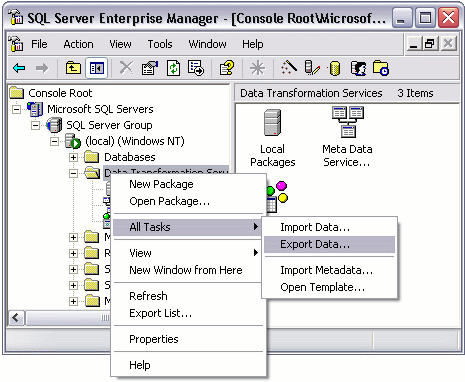
- Using Enterprise Manager, right click on the "Data Transformation Services" node and select All Tasks > Import Data...
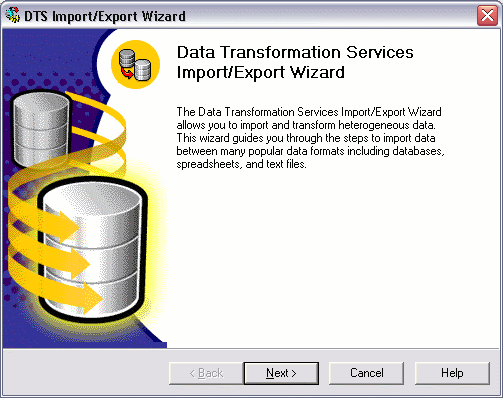
- Click "Next >"
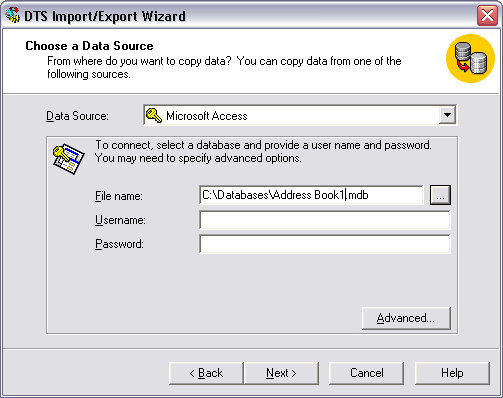
- Select the Data Source - this is the file/database that contains the data we want to import. In this example, we are importing data from a Microsoft Access database, so we use the "Microsoft Access" option. We also specify the file name of the Access database as well as username and password if required.
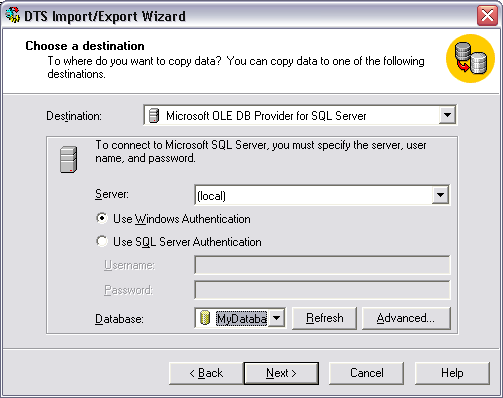
- Select the Destination - this is the file/database that we want to import data into. In this example, we are importing data to our SQL Server database called "MyDatabase". We are also using Windows Authentication, but we could just have easily used one of the user accounts on our SQL database.
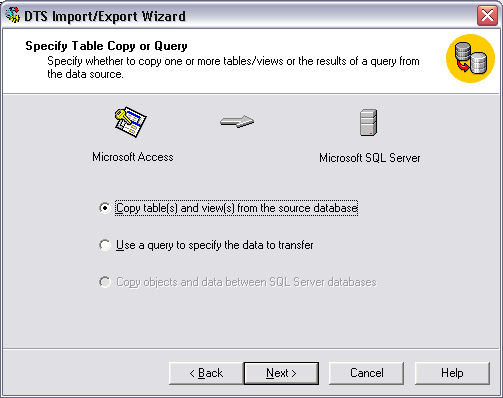
- Choose whether to copy one or more tables or to use a query to specify the data to transfer. In this example, we are going to copy a table and all its data.
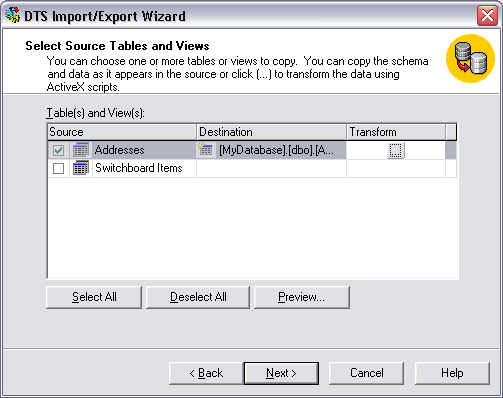
- Select the table (or views) that you'd like to copy, and the name of the destination table. In this example, we'll use the default (a table will be created using the same name and data types as the source table).
You also have the option of clicking on "Transform" to change the column properties of the destination table. For example, you can change column names, data types, size etc. For now, we'll just leave it as is.
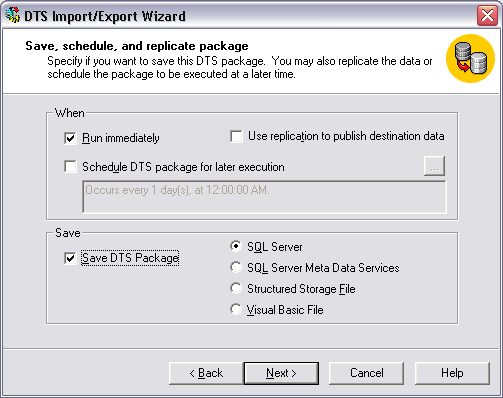
- Specify when to run this DTS package and whether to save it or not. In this example, we are going to run the package now. We have also chosen to save the DTS package.
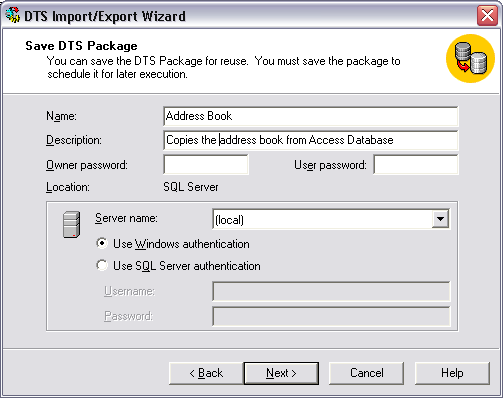
- Because we have chosen to save this package, we need to specify details about the DTS package.
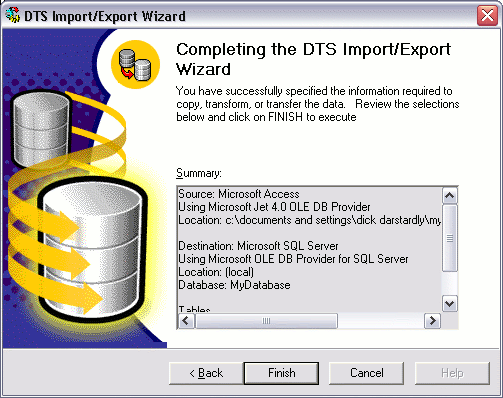
- Finally, we get to finish (and run) the DTS package!
- And now, let's see if our DTS import was successful...
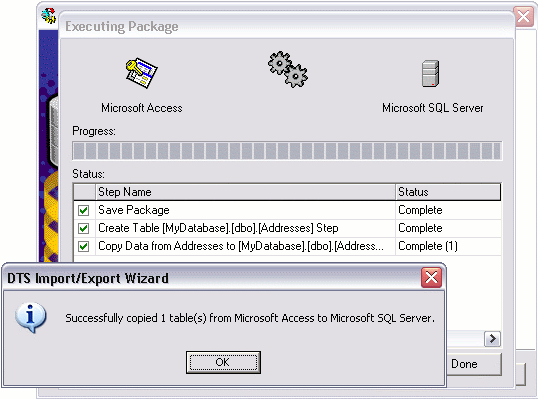
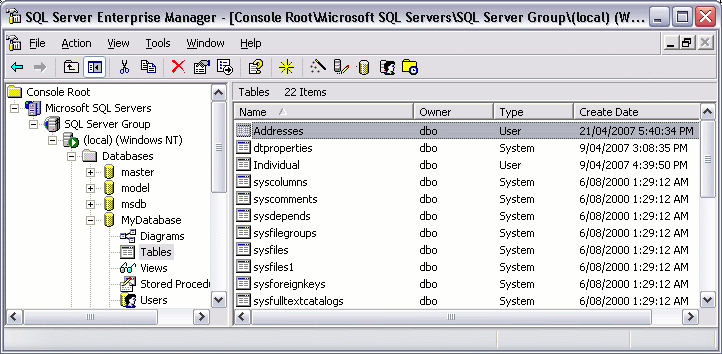
Well, now that we know our DTS import was successful, we can take a look at the table that was created. We can also have a look at our saved DTS package.
Our Table
Our DTS Package
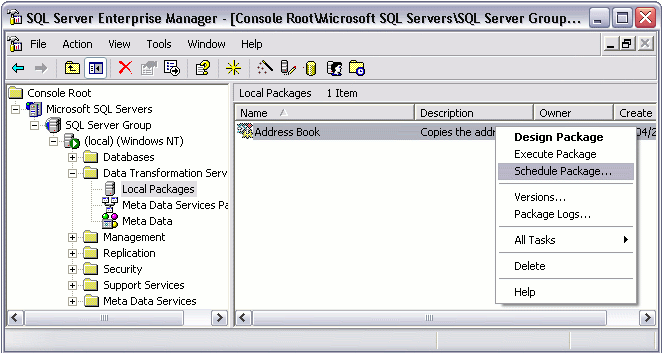
We can locate the DTS package under the "Local Packages" node. By right clicking on the package, we can modify it using the "Design Package" option, run it using "Execute Package", and schedule it using "Schedule Package".
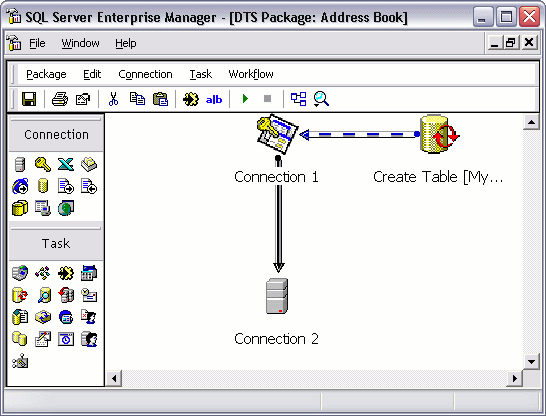
DTS Designer
By selecting "Design Package" (see above screenshot), you can modify your saved DTS package using the DTS Designer. DTS Designer allows you to apply tasks, workflow and event driven logic against your DTS package. Here's what the DTS Designer looks like: