
SQL Server Agent Jobs
Now that you know that the SQL Server Agent Service is responsible for ensuring any scheduled jobs are run at the specified time, let's create a SQL Server Agent Job.
Creating a SQL Server Agent Job
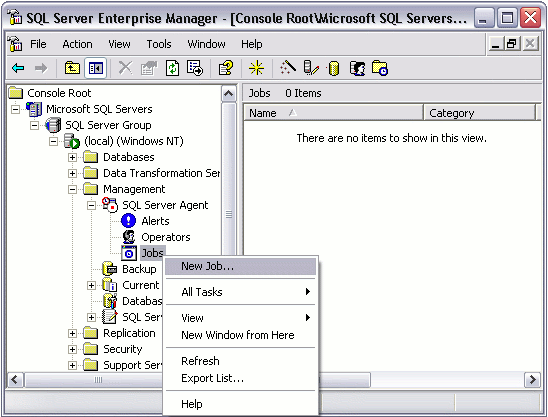
- From the "SQL Server Agent" node, right click on the "Jobs" node, and select "New Job":
- Complete the details in the "General" tab:
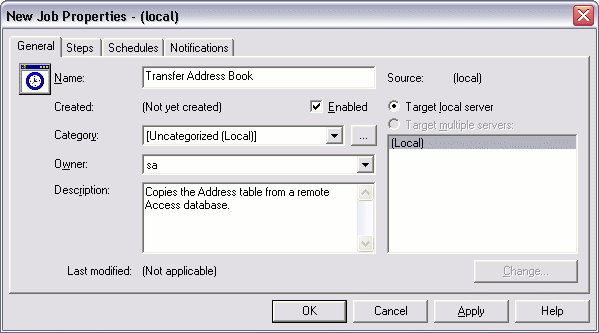
- Complete the details in the "General" tab:
- From the "Steps" tab, click "New"
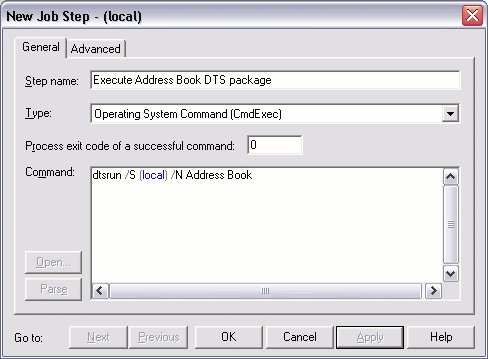
- Complete the details for this step. In this example, we are using the dtsrun utility to execute a DTS package:
- From the "Schedules" tab, click "New Schedule"
- Give this schedule a name and specify the schedule type:
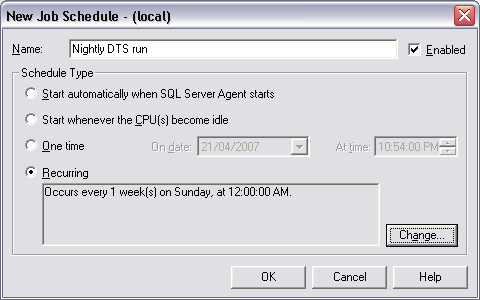
- If you need to set a recurring schedule, click "Change" (from the previous screen) and complete the details:
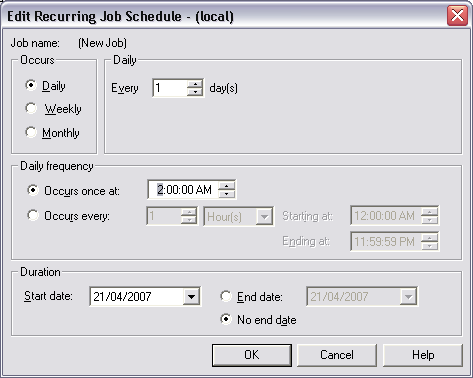
Your SQL Agent Job has now been set up and is ready to run every morning at 2am, but don't forget to check that the SQL Server Agent Service is running!.
Modifying your SQL Agent Job
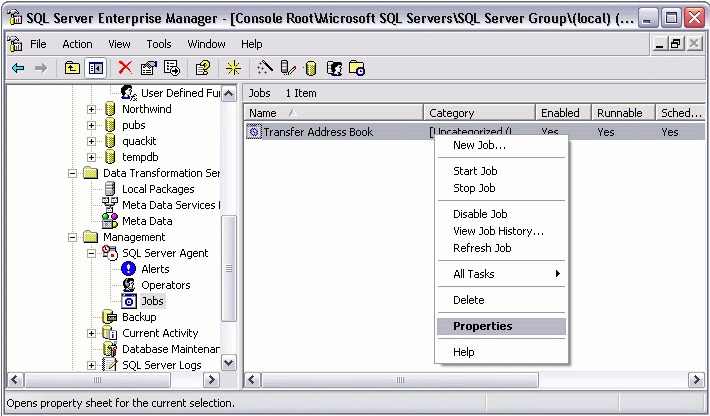
You can view your SQL Agent Job under the "Jobs" node. If you need to modify your SQL Agent Job, you can do so by right clicking on the job, then selecting "Properties". You can also run your job (by selecting "Start Job"), view its history, disable it, and more.
Is the SQL Server Agent Running?
By looking at the screen shot above, I can tell that the SQL Server Agent Service is not running. The icon is what gives it away. Here's what the icon should look like:
 | Running |
 | Not Running |
The reason I'm re-iterating this is because I have been caught out so many times with this. It's so easy to create a SQL job that its so easy to forget to check whether the SQL Server Agent is even running. Normally, in a production environment, the SQL Server Agent will be running constantly. In a development environment, you may choose to disable it until you need to test it.