
Access 2016: Create a Table
Access 2016 creates a table automatically when you create a blank database. You can customize this table, then create more using the Create tab.
We now have a blank table, having just created a blank database.
First, we'll customize that blank table. Then we'll create a new one.
Customize the Blank Table
First, we're going to add a field to the existing table. Then we'll rename the existing field..
-
Select a Data Type for the New Field
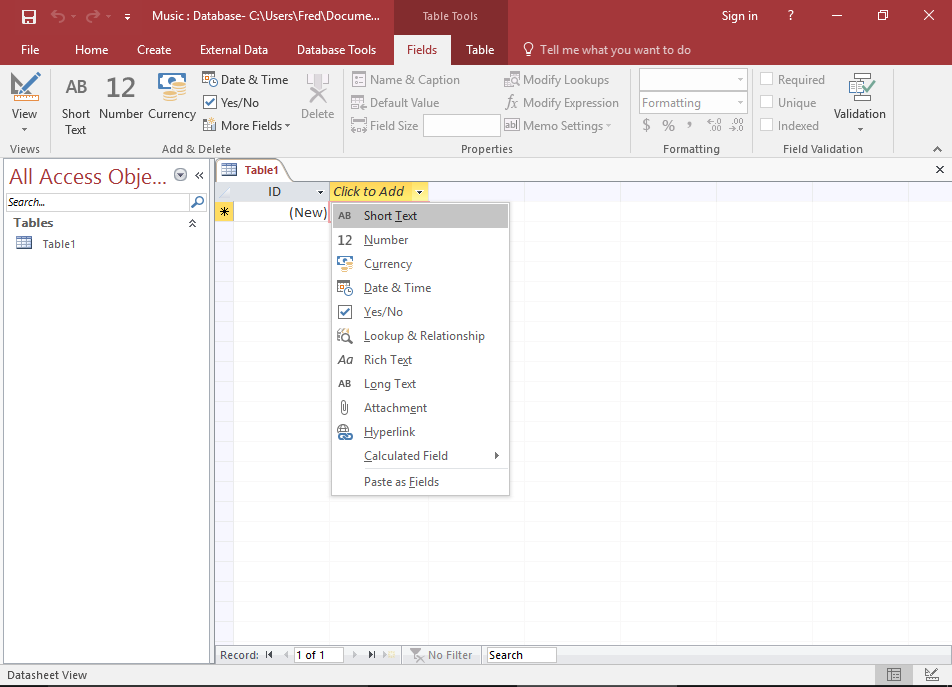
Right-click Click to Add and select Short Text from the combo box.
This combo box lists the data types you can assign to a field. Access requires that each field is assigned a data type.
In this case, we're telling Access to only allow Short Text in this field. If a user tries to enter a different data type, they will receive an error.
Short Text is any string of text up to 255 characters long.
-
Name the Field
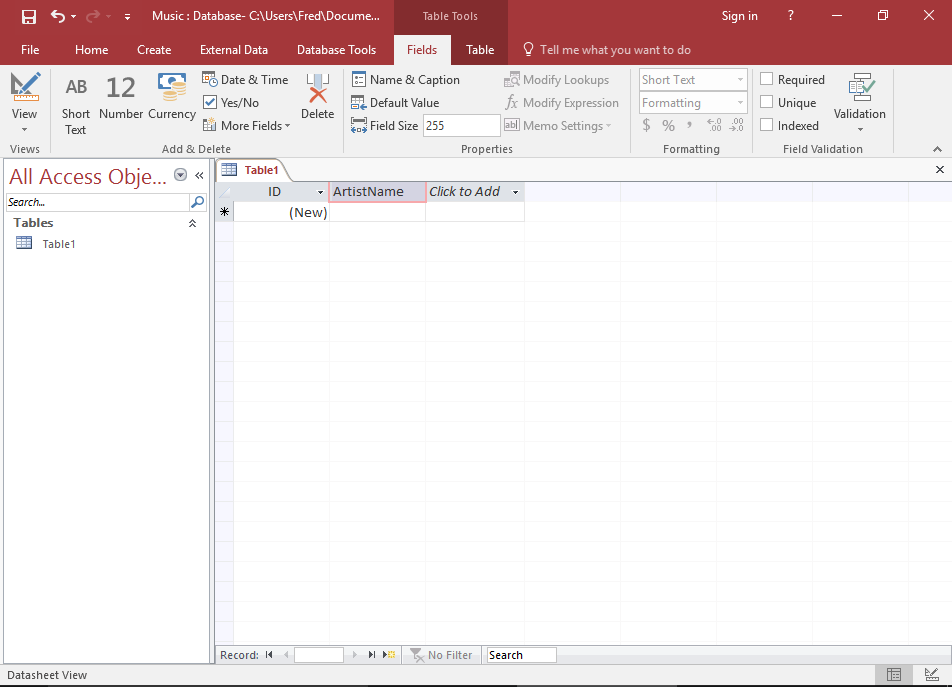
Once you've selected a data type, the field header will be highlighted with the text Field1 so that you can provide a name for the field.
Enter ArtistName as the name of the field.
-
Rename the First Field
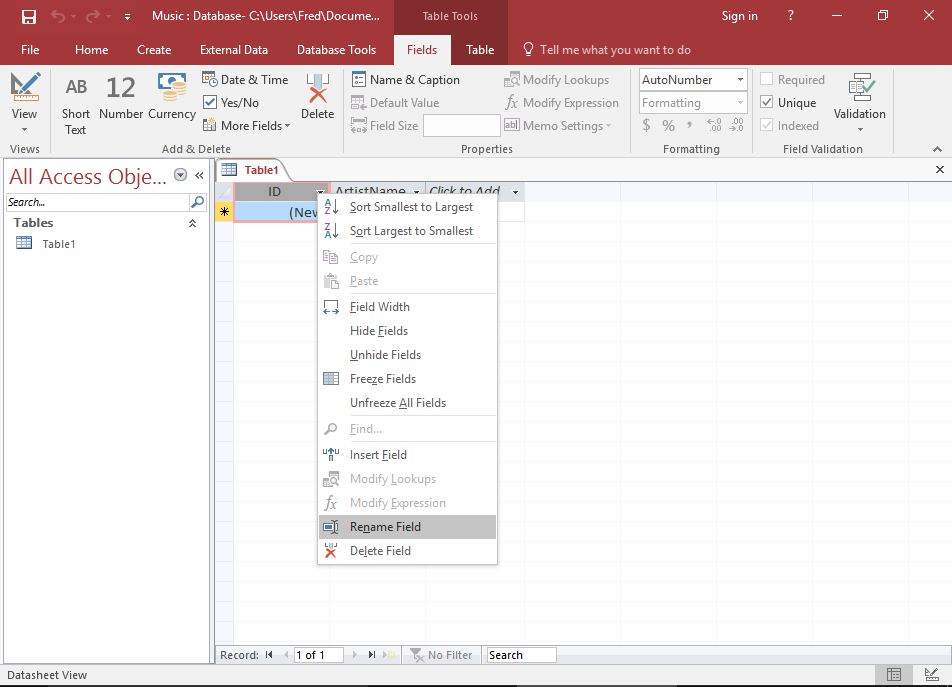
The first field in our table is currently called ID. We'll rename it.
Right-click on the ID field header, and select Rename Field. The field will be highlighted for you to rename it.
Enter ArtistId.
-
Save the Table
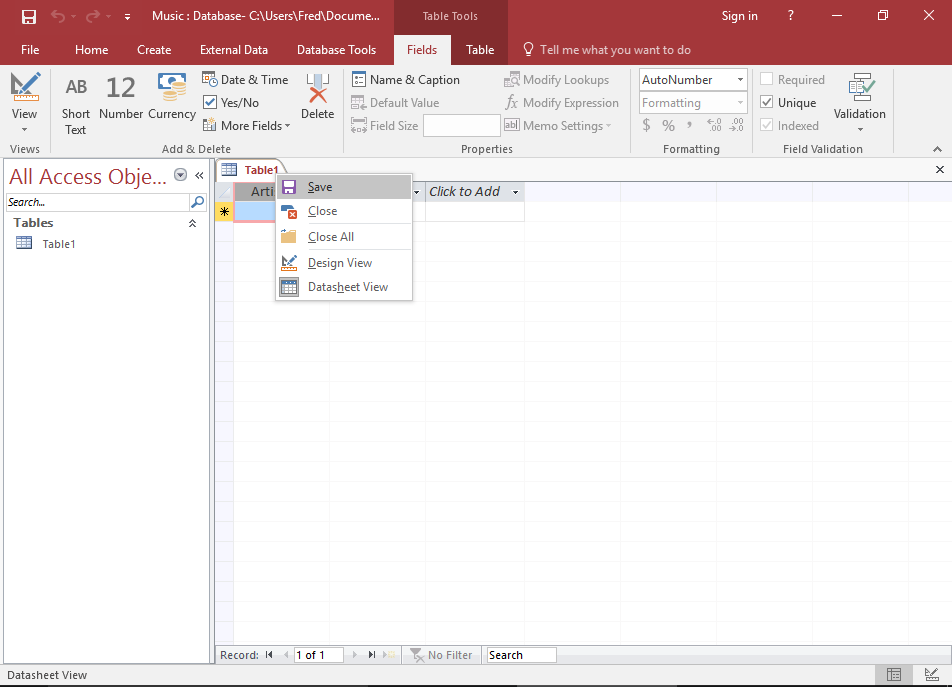
Right-click on Table1 to save the table.
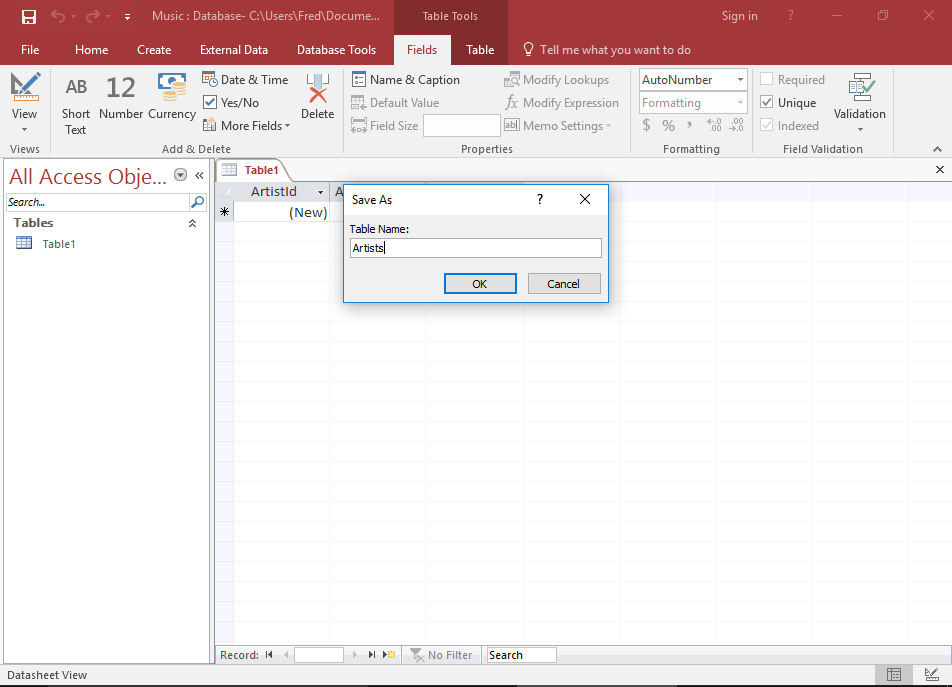
Enter Artists at the prompt.
-
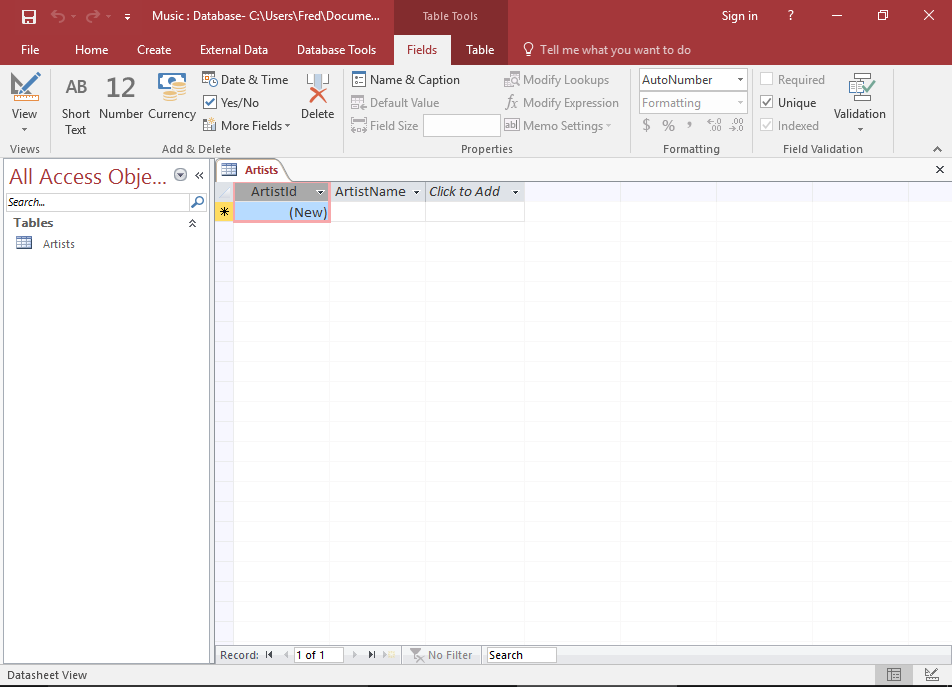
Your Finished Table
Your database table now contains two fields (ArtistId and ArtistName).
Create a New Table
Now we'll create a new table. This one will contain information on the albums that the artists release, so we'll call it Albums.
-
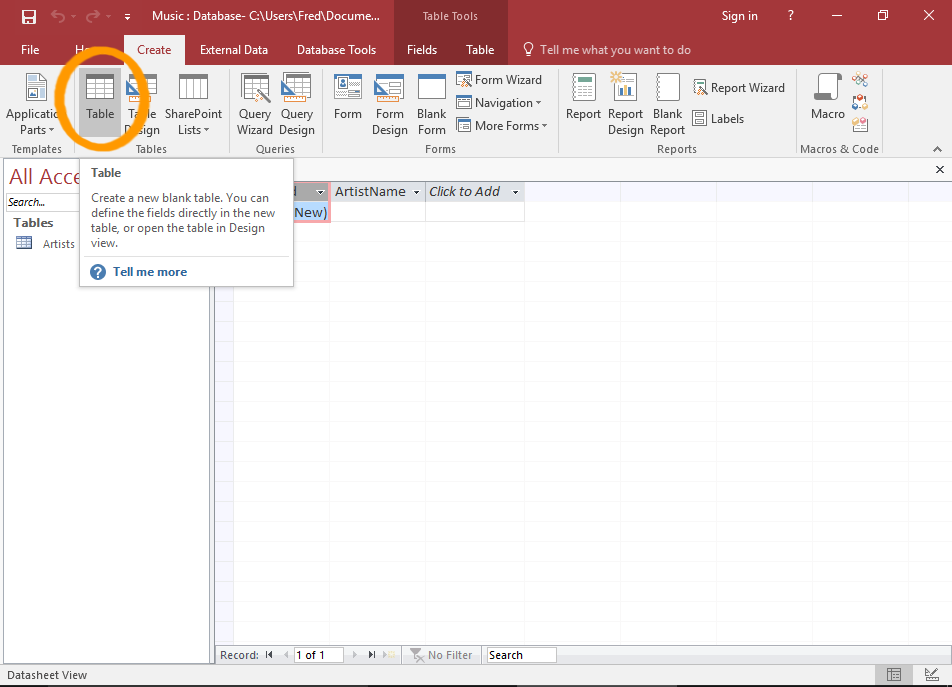
Create a New Table
Ensuring the Create tab is selected on the Ribbon, click Table.
This will add a blank table called Table1 to the database.
-
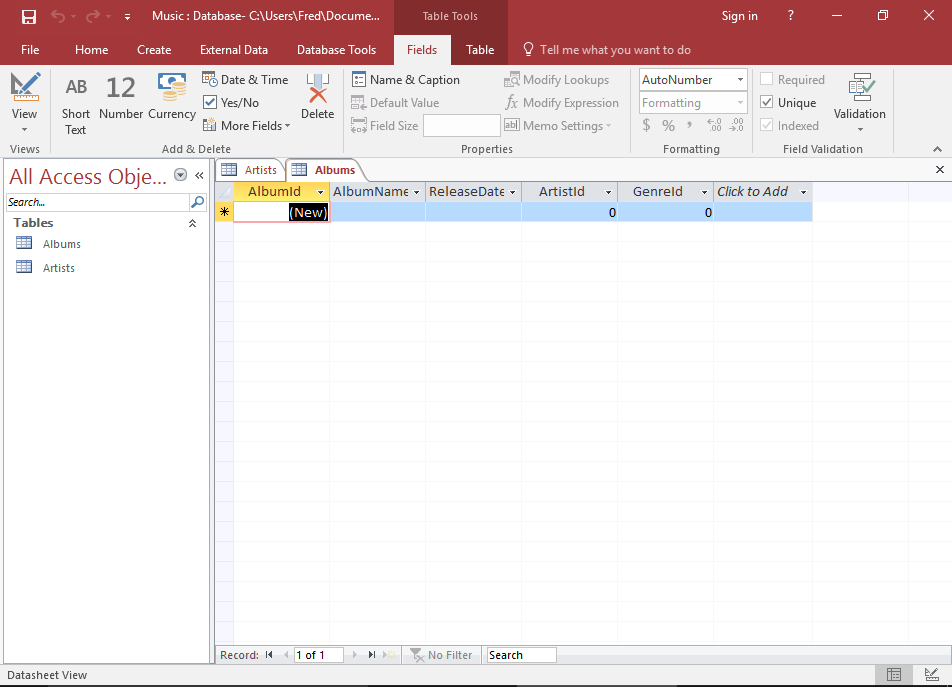
Set up the Fields
Now add 4 fields and rename the first. Set them up as follows:
Field Name Data Type AlbumId (Leave it as is) AlbumName Short Text ReleaseDate Date & Time ArtistId Number GenreId Number
You can also add fields to a table by entering data directly into the cell (underneath Click to Add). Access will guess the data type based on your input.
If you use this method, be sure to check the data types that Access has assigned to each field. You will need to ensure the data type won't prevent users from entering valid data.