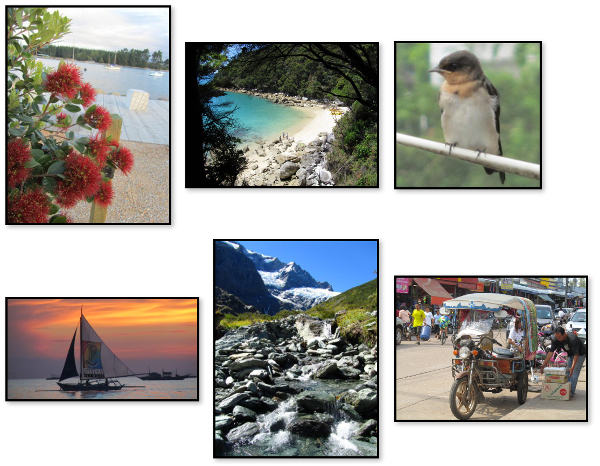
Flexbox Photo Gallery Examples
These examples demonstrate various ways of presenting photos in a photo gallery using flexbox.
-
Flex-direction row
Uses
flex-direction: rowto make the photos run in rows. This is the initial setting — if you don't set theflex-directionproperty it will userowanyway.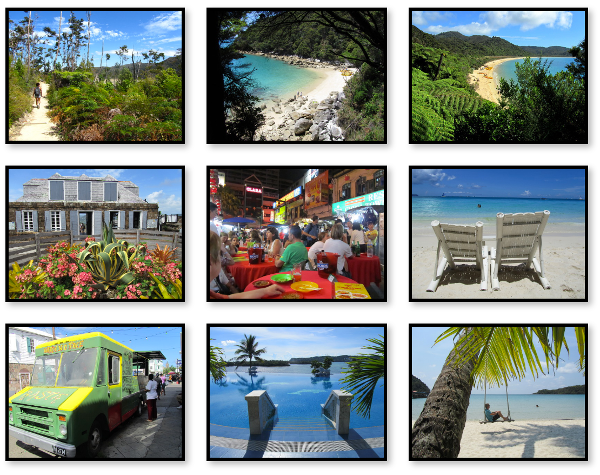
-
Flex-direction column
Uses
flex-direction: columnto make the photos run in columns instead of (the default) rows. This example uses an explicitly set height on the flex container to determine when the photos wrap over to the next column.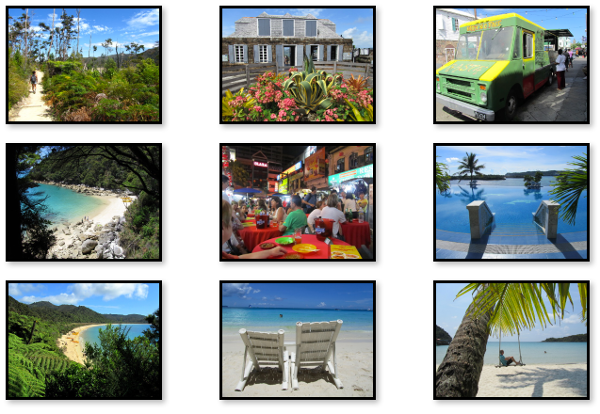
-
Align items stretch
Uses
align-items: stretch, which stretches any shorter images to the height of the tallest image. This is the initial value of thealign-itemsproperty, so if you don't set this property, it will usestretchanyway.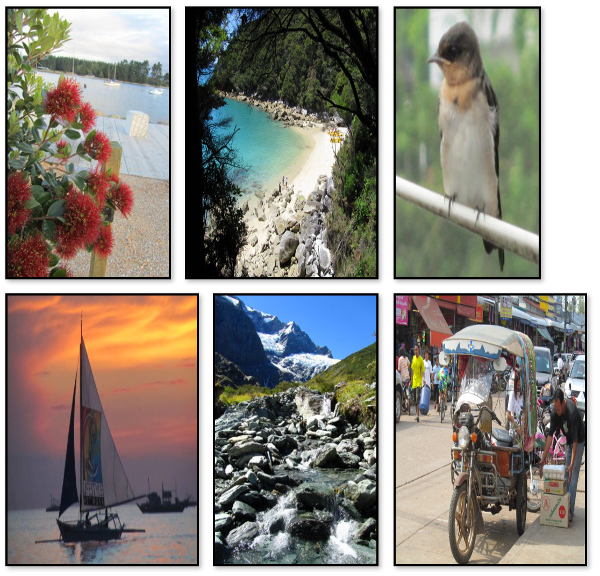
-
Align items flex-start
Uses
align-items: flex-startwhich sets each photo to the top of the row. The height of each photo shrinks so that it fits the content. This results in varying sized photos (unless they all have content of the same height).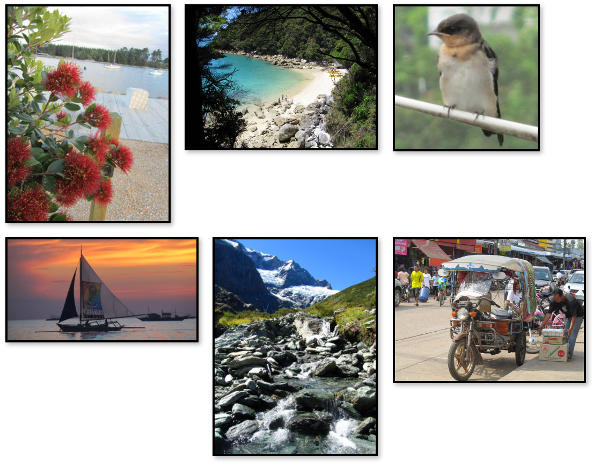
-
Align items flex-end
Uses
align-items: flex-endwhich sets each photo to the bottom of the row. The height of each photo shrinks so that it fits the content. This results in varying sized photos (unless they all have content of the same height).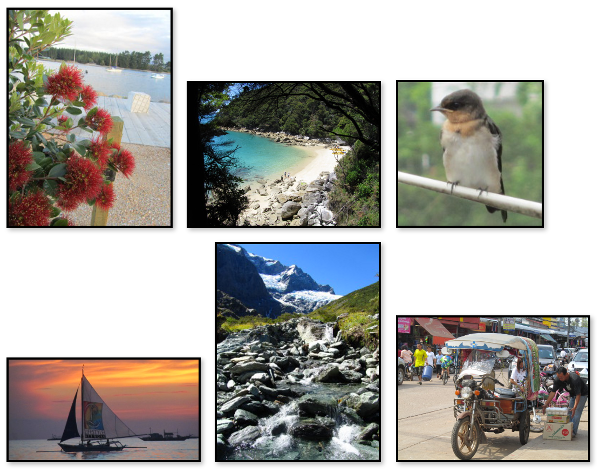
-
Align items center
Uses
align-items: centerwhich sets each photo to the center of the row. The height of each photo shrinks so that it fits the content. This results in varying sized photos (unless they all have content of the same height).