
XPath Number Operators
XPath includes a range of operators you can take advantage of when using number values within your expressions.
Number Operators
Here's a list of number operators you can use in your XPath expressions:
| Operator | Description |
|---|---|
| + | Used for addition. |
| - | Used for subtraction. |
| * | Used for multiplication. |
| div | Used for division. |
| mod | Returns the modulus of two numbers. (The modulus is the remainder after you divide the two numbers). |
Number Functions
Here's a list of functions you can use with numbers in your XPath expressions:
| Function | Description |
|---|---|
| ceiling() | Returns the smallest integer that is larger than the value provided. |
| floor() | Returns the largest integer that is smaller than the value provided. |
| round() | Rounds the value provided to the nearest integer. |
| sum() | Returns the sum of the two numbers provided. |
Usage Example
The Source XML File
We'll use the following XML file, which contains a list of vegetables and their associated nutritional value:
The Requirement
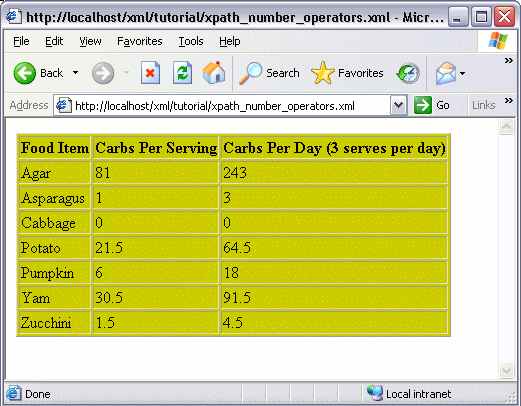
This time, for each record, we'll display the carbohydrate value ("carbs"). We will also display a column that multiplies the number of carbs by 3 (representing 3 meals per day). Like this:
The Solution
We could modify the code from the previous lesson so that only the top 5 records are selected. We could achieve this using the XPath <= operator (along with the position() function), as follows: