
XSLT <choose> Element
The XSLT <xsl:choose> element allows you to compare a value against a range of possible values in your XML document.
This element is used in conjunction with the <xsl:when> and (optionally) <xsl:otherwise> elements to present different content depending on the outcome of each test.
<xsl:choose> Example
The Source File
Imagine we have an XML file containing different food items and their nutritional value. Like this:
The Requirement
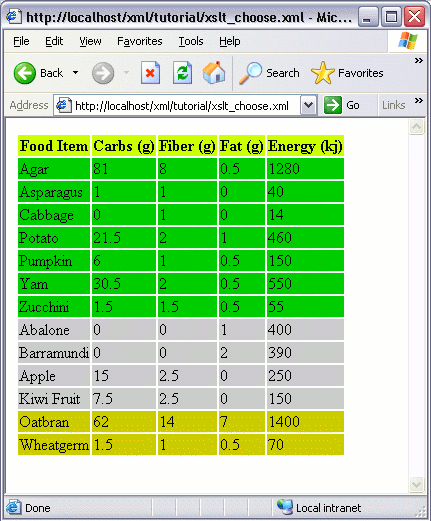
Now, imagine if we want to present the contents of our XML file in a table and highlight the rows a different color depending on the type of food it is. Something like this:
The Solution
We could do this using the following XSL file. In this file, we are checking the type attribute of the <food_item> element. We can find the value of the attribute by typing it's name with a @. If the value is grain we specify one color. If it's vegetable we specify another. If it's neither of these, we specify a default color using <xsl:otherwise>.