
XML Viewers
An XML viewer can be a handy tool when working with XML documents.
While you can view XML documents with a simple text editor, there are free XML viewers that present the contents in a more readable form. XML viewers interpret the document so it will display the XML document using any styles that have been applied using XSLT or CSS. It will also warn you if something doesn't look right, or if it doesn't validate correctly.
Most modern browsers include XML support, so it's quite possible that your own browser is able to display the contents of XML files.
You open an XML file in your browser the same way you open any other file in your browser. If it's a local file you can type the full path into the address bar. Otherwise, if it's available over the web, you can type the URL into the address bar.
Notepad
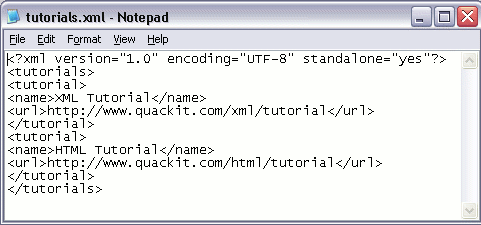
You can use a text editor such as Notepad to create or view a simple XML file. Here's what this XML file looks like in Notepad:
Firefox
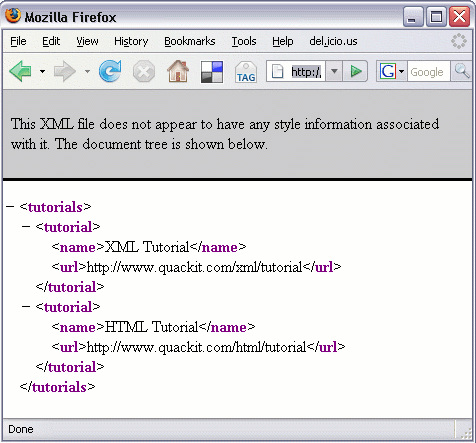
Here's how the above XML file appears in Firefox 2.0. Notice the difference between Notepad and Firefox. Firefox actually attempts to interpret the document. It even warns us if it thinks something could be out of place (such as a missing stylesheet).
Internet Explorer
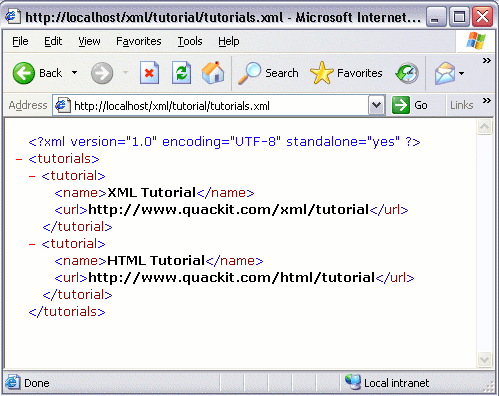
Here's how the same XML file appears in Internet Explorer 6.0
Displaying Errors
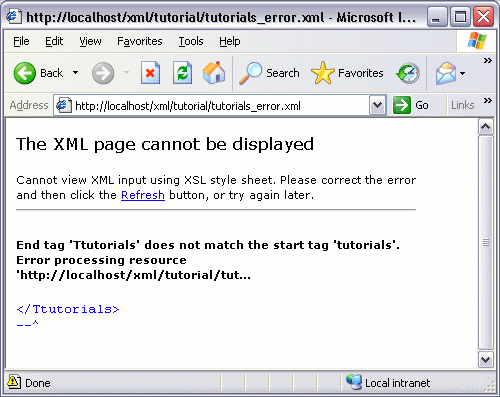
If your XML document contains an error, your XML viewer should display a message indicating the error. In this file, I have purposely included an error.
Below is how the error is reported in Internet Explorer.
Adding Styles
Once you start adding styles to your XML, you'll see a huge difference in how your XML documents appear with an XML viewer. We'll cover styles later.