
Creating Database Tables
Explains two different ways of creating tables in a database.
With database management systems, you need to create your tables before you can enter data. Just as you can create a database programatically, you can create your tables programatically too.
Option 1: Programatically
The following is an example of creating a new table. Note that we are specifying the name of the table, the name of each column, and the data type of each column. More parameters can be added to this example if your requirements are more specific.
Option 2: User Interface
Most graphical database management systems have a "Design View" (or similar) for creating tables. Design View enables you to create the names of each column, specify the type of data that can go into each column, as well as specifying any other restrictions you'd like to enforce.
Restricting the data type for each column is very important in relational databases, as it helps maintain data integrity. For example, it can prevent users from accidentally entering an email address into a field for storing the current date.
More properties can be added against each column if you require them. For example, you could specify a default value to be used (in case the field has been left blank by the user).
-
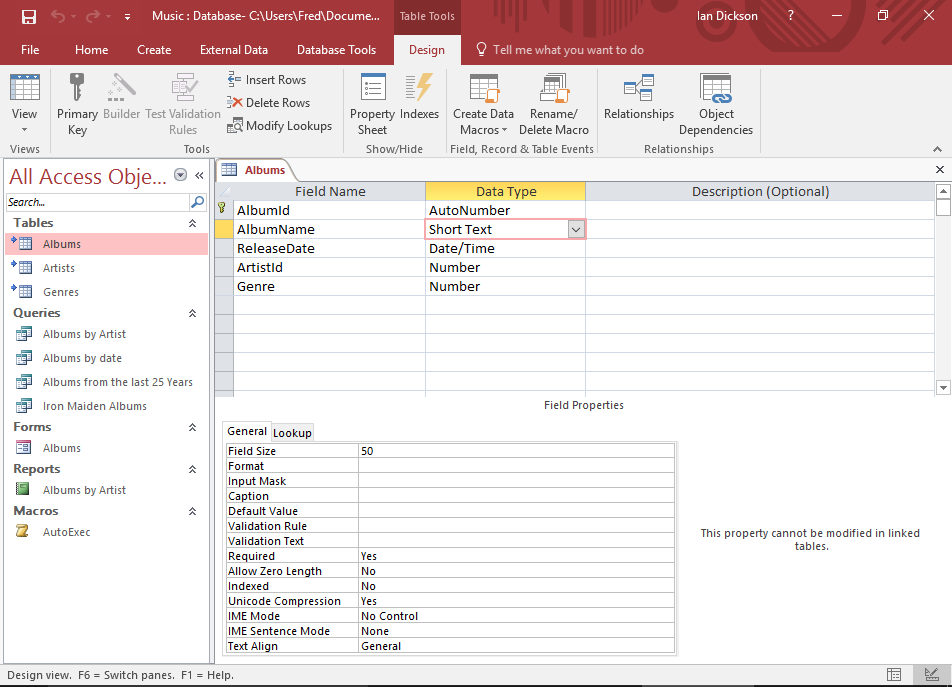
Design View
When you create a table in Design View, depending on which database system you use, you might see something like this.
Field names are listed along the top, along with their data type. And the properties for each field is listed in the bottom pane. These properties can be used to do things like, format the data, restrict the type of data that can be entered, add a date picker to a date field, and more.
-
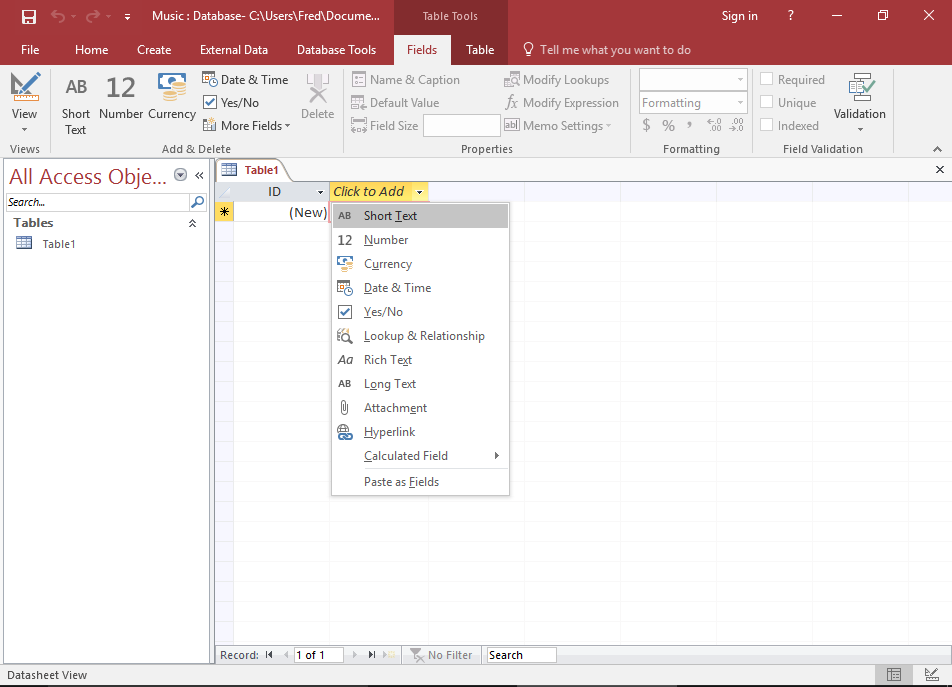
Modifying a Table in Datasheet View
Some database systems might allow you to make changes to the table definitions while in Datasheet View. Access is one example that allows you to do this.
For example, you can right-click on a column header to select its data type. And you can change field properties in the top toolbar (which Access calls the Ribbon).
-
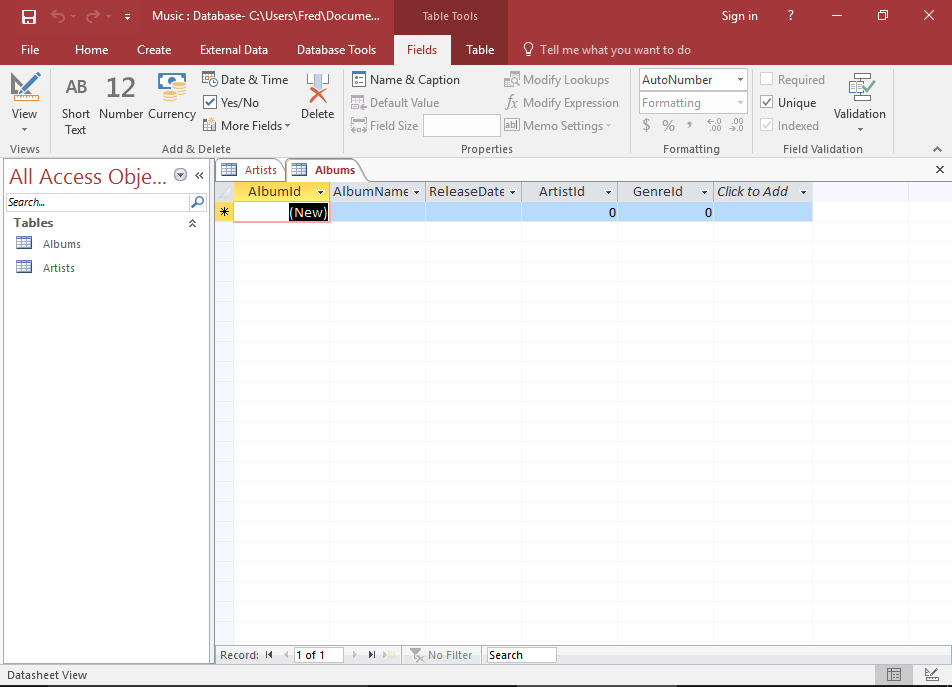
Datasheet View
If you run a query against your table to see what data is in it, you will see the grid like structure that represents the table. In this example, there's no data in the table yet.