
Creating a Database
With database management systems, many tasks can be done either via programatically or a user interface. Creating databases is no exception.
Option 1: Programatically
Many database administrators (DBAs) use Structured Query Language (SQL) to perform many of their database tasks. To enter SQL, you need to open an interface that allows you to enter your code. For example, if you use SQL Server, you would normally use Query Analyzer.
The following example is the basic code for creating a new database. Parameters can be added to this example if your requirements are more specific.
Note: This example assumes you know how to use your database system to run scripts like this. If you don't you, will probably find it easier to use the user interface method (below).
Option 2: User Interface
Most database systems make it very easy to create a database via a user interface. Generally, it's just a matter of selecting an option from a menu, then providing a name for your database.
The following example demonstrates how to create a database in Microsoft Access.
-
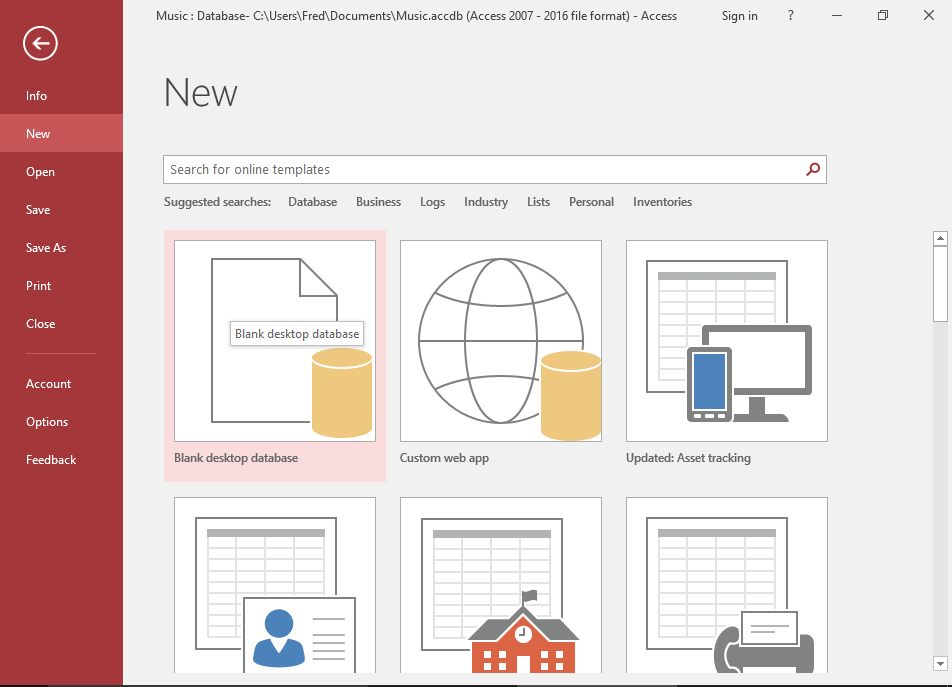
Go to the File Menu
This is what the File menu looks like in Microsoft Access 2016. Simply click Create Blank Database to create a new database.
Alternatively, you can select a template. A template is a pre-built database for a particular purpose, and it can give you a head start when creating a database.
-
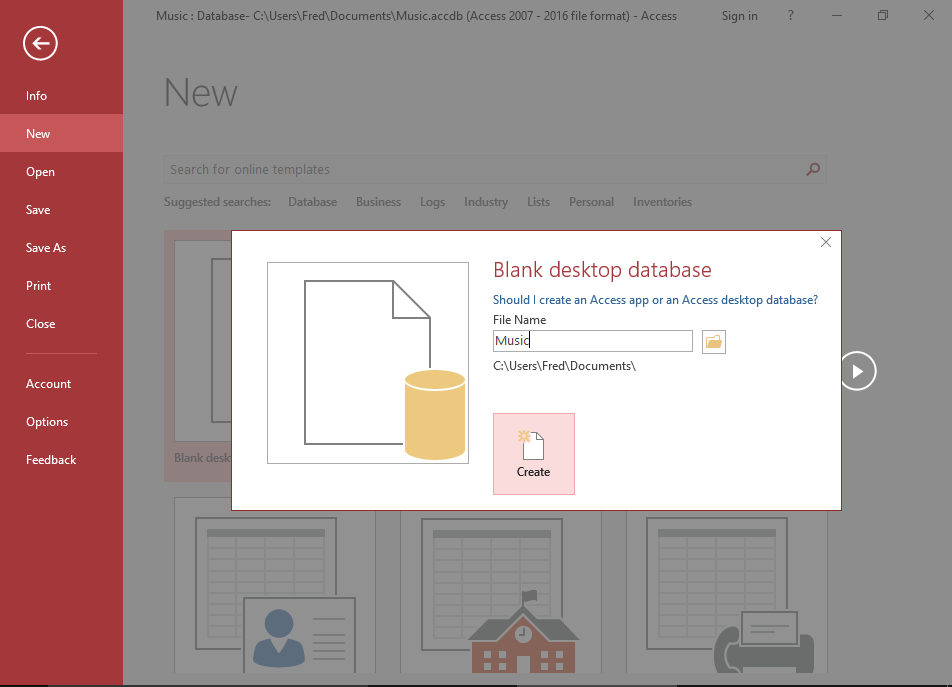
Name the Database
The first thing any database management system will require, is a name for the database. Once you've provided a name, the database can be created in the system.
So provide a name and click Create.
-
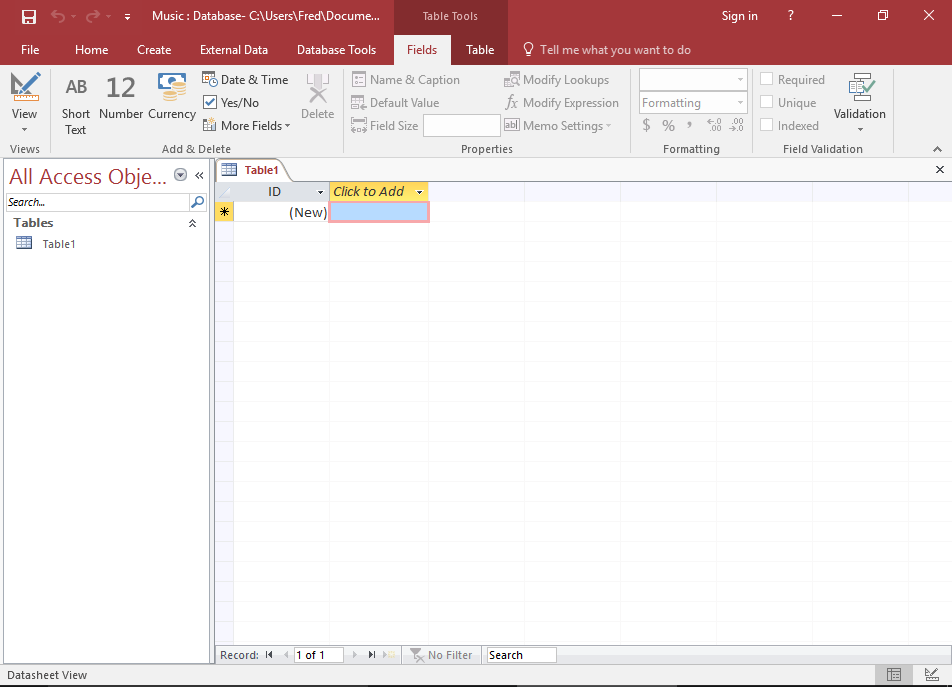
The Database
You will now have a blank database. That's how easy it is to create a blank database.
But a blank database is just the beginning. You will need to create tables to store data before you can really do anything with this database.
Microsoft Access tries to help you out and actually includes a table when you create a blank database. You will need to modify this table to your needs (by adding fields, etc)
Most other database systems don't provide this courtesy, and your database will start with no tables. That's no problem — creating a table is just as easy as creating a database.