
Website Builder - Step by Step
This article demonstrates how to create your Website Tonight account and publish your website. My aim in writing this article, is to provide more a detailed version of the create a website article. If you read that article but still aren't sure how to proceed, this article should be able to help.
To recap, Website Tonight is an online website builder that enables you to create a website within minutes.
Creating Your Website Tonight Account
By following these instructions, you will be able to get your domain name at a heavily discounted rate. This is because, with ZappyHost, when you register your domain name at the same time you purchase a non-domain product (such as Website Tonight), you get the domain name at a discount for the first year (this will be either $1.99 or $3.99, depending on the promotion that's running at the time).
Update: The screen shots on this page may be slightly different, as the ZappyHost design has changed a little since writing this article.
- Go to ZappyHost.com
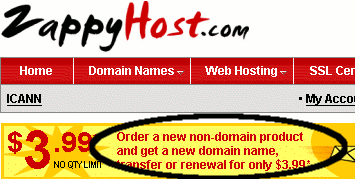
- Click on the $3.99 domain name offer (note that this may actually be $1.99, depending on the promotion that's running at the time):
- Enter your preferred domain name into the search box and click "Search":

- Once you've found a domain name, click "Continue":

- Create your ZappyHost account (or log in if you already have one):
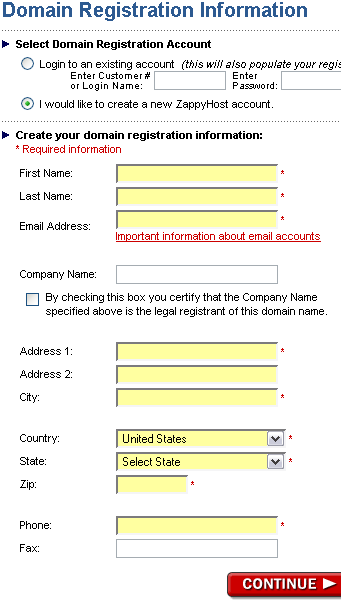
- Confirm your details by clicking "Continue":
- On the "Registration and Checkout Options" page, select "Customize my order":
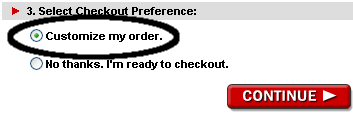
- On the "Customize my Order" page, select a Website Tonight option from the dropdown menu (you may need to scroll down to see this option):
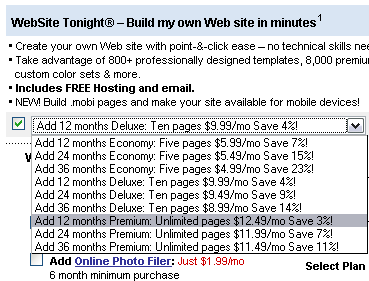
- Click "Continue" at the bottom of the form:
- You will now see your order in your shopping cart. You will also notice that the domain name has been discounted to $3.99:

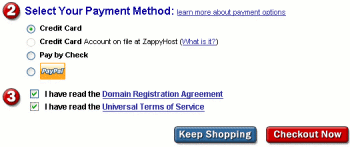
- Select your payment method, read/agree to the terms etc, then click "Checkout Now":
- Complete the purchase. Once you've done this, you will receive a confirmation email from ZappyHost with instructions on how to use your Website Tonight account.
More Resources
Once you've done the above steps, creating your website with Website Tonight is quite intuitive. In any case, if you do need some help, try these:
- Template Samples
- Sample Websites for Mobile Phones
- Sample Website 1 (Real website built using Website Tonight)
- Sample Website 2 (Demonstration website - built in 5 minutes using Website Tonight)
- Frequently Asked Questions