
JavaScript Popup Boxes
Popup boxes are one of the most commonly used JavaScript features on the web. Here's how to create one.
I trust we're all familiar with the widely despised loved JavaScript popup box?
I don't mean JavaScript popup windows (probably even more loved!). What I mean is, a popup box that displays a message, along with an OK button.
Depending on the popup box, it might also have a Cancel button, and you might also be prompted to enter some text. These are all built into JavaScript and are what I call "JavaScript popup boxes". They can also referred to as "dialog boxes", "JavaScript dialogs", "popup dialog" etc.
While JavaScript popups can be annoying, they can also be used as an integral and valid part of a web application.
Types of Popups
JavaScript has three different types of popup box available for you to use. Here they are:
Alert
Displays a message to the user. Example:
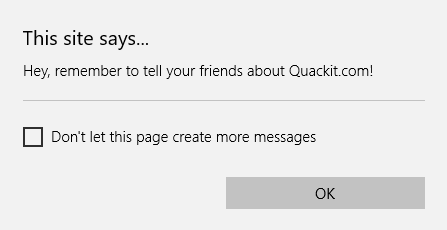
To create a JavaScript alert box, you use the alert() method. Here's an example:
Confirm
Asks the user to confirm something. Often, this is in conjunction with another (potentially significant) action that the user is attempting to perform. Example:
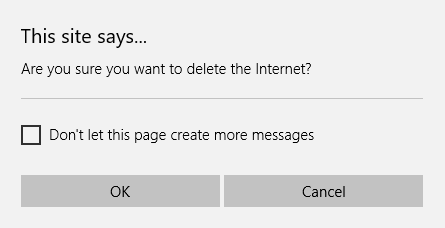
To create a JavaScript confirm box, you use the confirm() method. Here's an example:
Prompt
Prompts the user for information. Example:
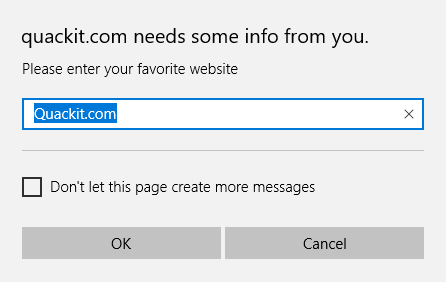
To create a JavaScript prompt, you use the prompt() method. Here's an example:
Note that the user's browser determines what the popup box actually looks like. This is because our popup code is simply telling the browser to "display this type of popup with this message". It is up to the browser to render the correct type of popup with the specified message.
Integrating JavaScript with HTML
You will have noticed that the (above) example popups didn't appear as soon as you loaded this page. They only appeared after you clicked the relevant button. This is because I placed code into each HTML button, so that when it was clicked, it triggered off our JavaScript.
This is a very common way of using JavaScript on the web. By "attaching" JavaScript to our HTML elements, we can make our pages much more responsive to our users' actions.
The following lesson explains this in more detail.