
How Web Servers Work
Web servers are responsible for serving up websites. Here's a brief overview of how it all works.
Whenever you view a web page on the internet, you are requesting that page from a web server. When you type a URL into your browser (for example, http://www.quackit.com/html/tutorial/index.cfm), your browser requests the page from the web server and the web server sends the page back:
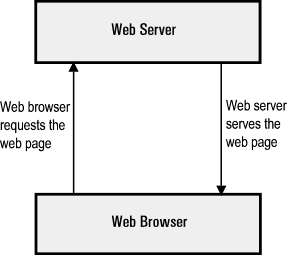
The above diagram is a simplistic version of what occurs. Here's a more detailed version:
-
Browser Resolves the Domain Name to an IP Address
Your web browser first needs to know which IP address the domain name www.quackit.com resolves to. If it doesn't already have this information stored in it's cache, it requests the information from one or more DNS servers (via the internet).
The DNS server tells the browser which IP address the domain name resolves to (and therefore, where the website is located).
Note that the IP address was assigned when the website was first created on the web server.
-
Browser Requests the Full URL
Now that the web browser knows which IP address the website is located at, it can request the full URL from the web server.
-
Web Server sends the Requested Page
The web server responds by sending back the requested page.
If the page doesn't exist (or another error occurs), it will send back the appropriate error message.
-
Browser Displays the Webpage
Your web browser receives the page and renders it as required.
When referring to web browsers and web servers in this manner, we usually refer to them as a client (web browser) and a server (web server).
Multiple Websites
A web server can (and usually does) contain more than one website. In fact, many hosting companies host hundreds, or even thousands of websites on a single web server.
Each website is usually assigned a unique IP address which distinguishes it from other websites on the same machine. This IP address is also what the DNS server uses to resolve the domain name.
It is also possible to configure multiple websites without using different IP addresses using host headers and/or different ports. This can be useful in a development environment and is quite easy to do.
Page Not Found
If the requested page isn't found, the web server sends the appropriate error code/message back to the client.
You can create user friendly error messages, then configure your web server to display that page instead of the usual error page. This can add a nice touch to your website. How many times have you (or even worse, your visitors) encountered a plain white page with some cryptic error message on it?
It's very easy to create custom error pages, then configure your web server to use them.
Default Documents
If you've ever created a website, you may have found that if you have an "index" file (index.html for example), you don't need to specify the name of the file. For example, the following URLs both load the same page:
- http://www.quackit.com/html/tutorial
- http://www.quackit.com/html/tutorial/index.cfm
In this example, index.cfm is the default document. You can configure your web server so that any file name can be the default document.
For example, you could configure your web server to use index.cfm in the event no filename has been specified, or if you use PHP, index.php. You can even specify different default documents for different directories if you like.
SSL Certificates
You can apply SSL certificates against a website via the web server. First you need to generate the certificate either by yourself (i.e. using a certificate generator), or by a Certificate Authority (CA). Then, once it has been generated, you apply it to your website via your web server. Applying an SSL certificate to a website is a straight forward task.
Once you've applied an SSL certificate against a website, you can navigate it using HTTPS (as opposed to HTTP). HTTPS encrypts any data that is transferred over the internet. This reduces the possibility of some malicious person being able to read your users' sensitive information.
To navigate a website using HTTPS, you simply replace the HTTP with HTTPS at the start of the URL in your browsers' location bar ("https://www.quackit.com")