
SQL Server 2016: Create a Login
In SQL Server, you can create a login to allow different users or processes to connect to the SQL Server instance.
As with any client/server database management system, a given instance of SQL Server will typically be accessed by many different users and processes. These could include database developers, database administrators, web applications, corporate CRMs, reporting applications, etc.
Each of these users need a login to connect to SQL Server. A login can be used by one, or a group of users.
When you create a login, you can choose whether it uses Windows Authentication or SQL Server Authentication login.
- Windows Authentication
- When using Windows authentication, SQL Server validates the account name and password using the Windows principal token in the operating system. Therefore the user's identity is confirmed by Windows. SQL Server does not ask for the password, and does not perform the identity validation.
- SQL Server Authentication
- When using SQL Server Authentication, logins are created by using SQL Server and they are stored in SQL Server. Users connecting using SQL Server Authentication must provide their login credentials every time they connect.
You can also apply other settings for the login, including adding it to one or more roles, mapping it to database users, and more.
-
Launch the New Login Dialog Box
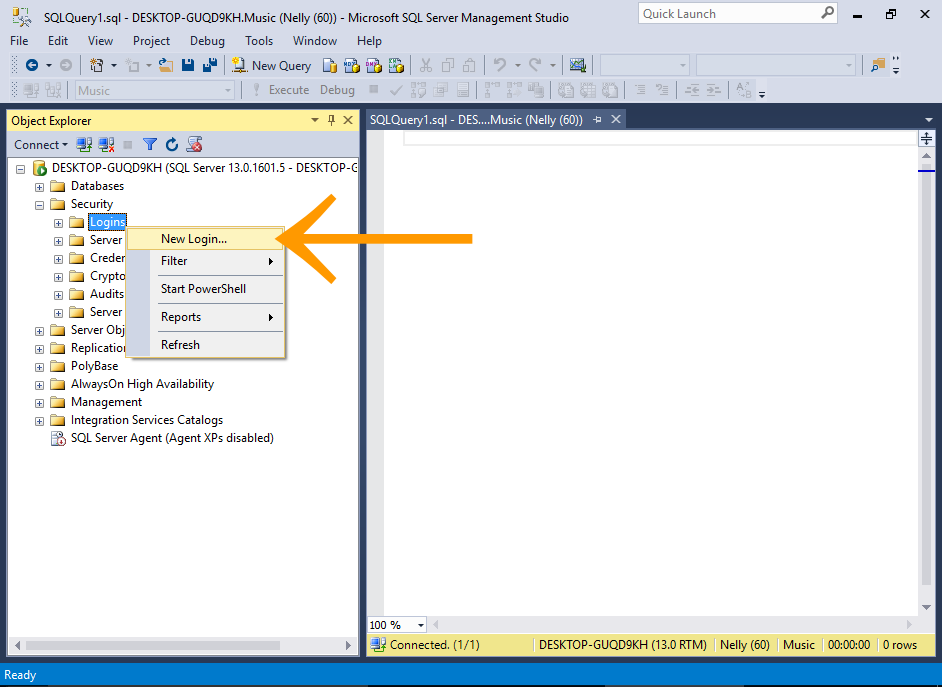
In the Object Explorer, expand the Security node to reveal its subnodes.
Right-click on the Logins node and select New Login....
-
Configure the new Login
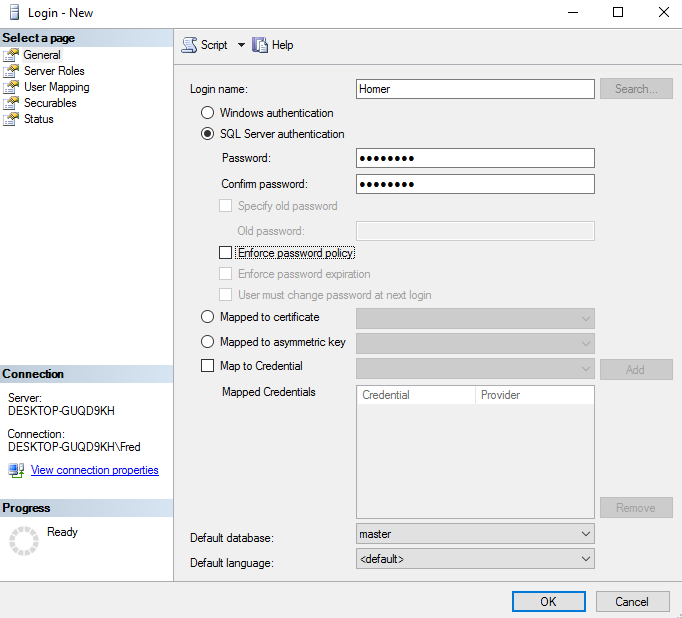
Enter a login name and choose an authentication method.
For this tutorial, use SQL Server authentication and enter a password (and confirm it).
Click OK to create the login and close the dialog box.
For this example, I disabled Enforce password policy and its associated options. I did this to make it easier for demonstration purposes.
However, it's good practice to enable these options in a real world setting.
Microsoft recommends that you use Windows Authentication whenever possible, as it's more secure than SQL Server Authentication.
Test the new Login
Now, let's test out the new login by using it to connect to SQL Server.
-
Open the Connection Dialog Box
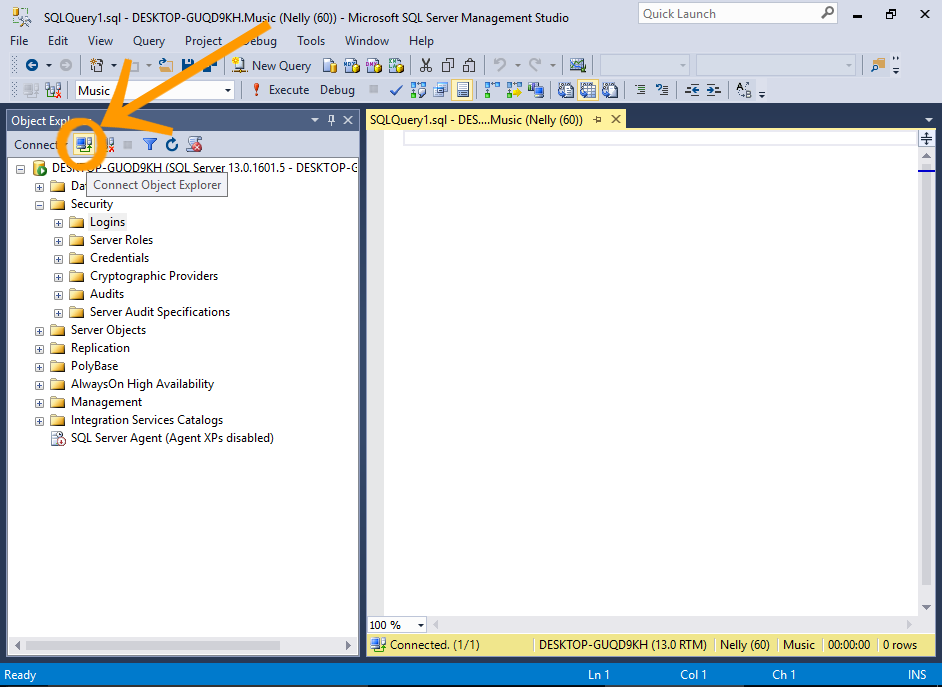
In the Object Explorer, click the little connection icon at the top of the Object Explorer (the one with a tool tip that reads Connect Object Explorer).
-
Connect using the New Login
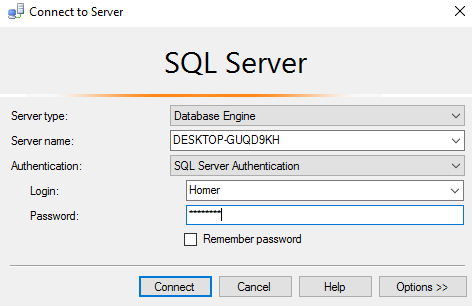
Select SQL Server Authentication from the Authentication drop-down list.
Enter the login credentials and click Connect.
If you receive a 18456 authentication error when trying to log in, see Server Authentication Mode below.
-
The Connection
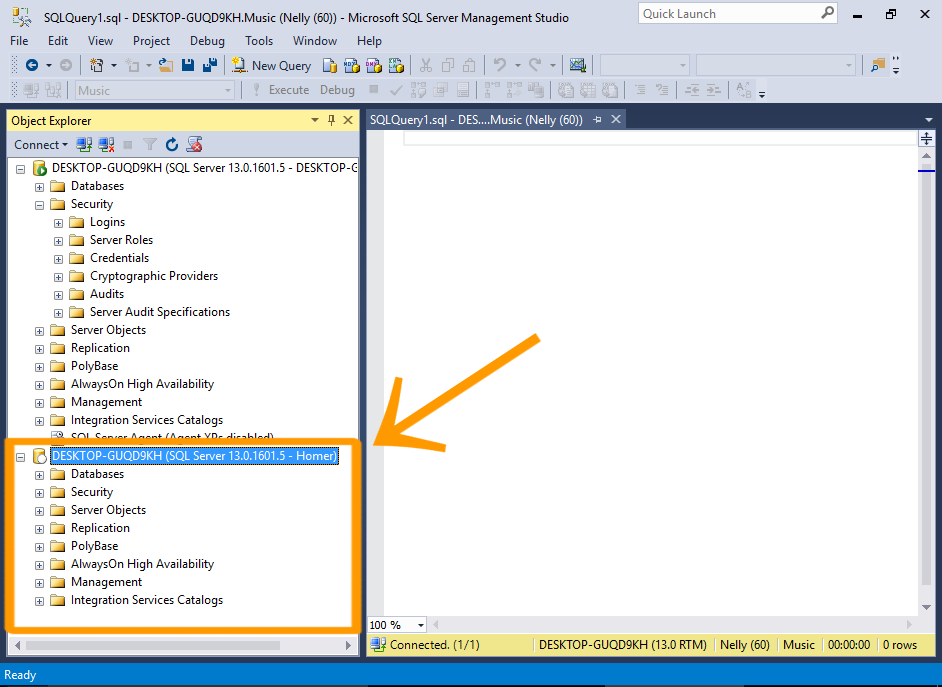
Observe that the new connection now appears in the Object Explorer (under the other one).
You can see that it has the login name at the end of the connection name.
-
Access the Database Objects
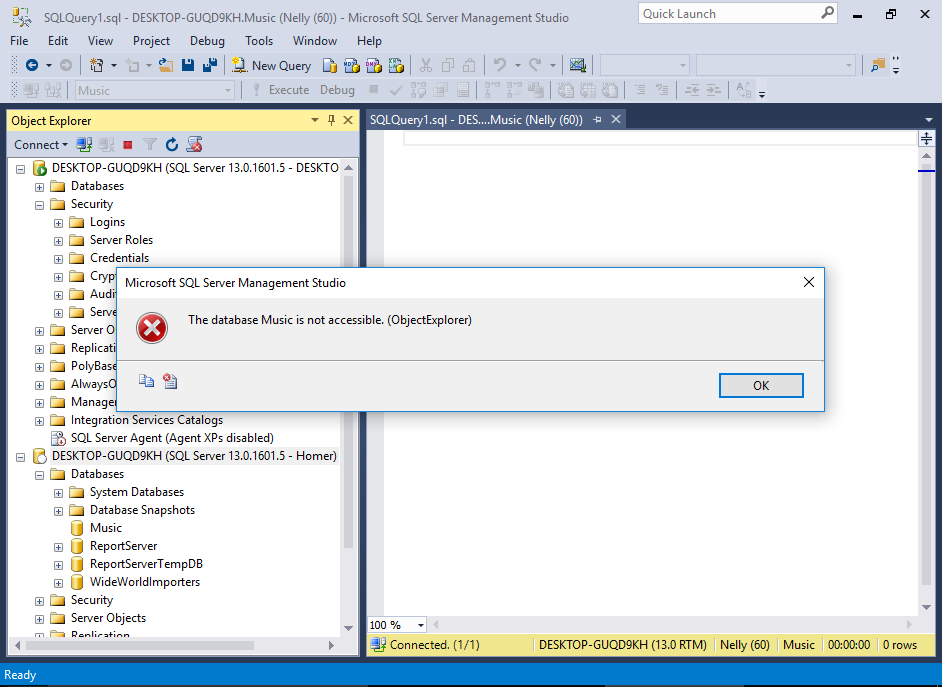
Now try to access the Music database. Navigate to it and try to expand the node so that you can see the tables.
You will receive an error telling you that the database is not accessible.
This is because we haven't assigned any database users to this login yet. We'll do that next.
Server Authentication Mode
Before a user can log in using SQL Server Authentication, the server must support this mode.
If you receive a 18456 authentication error when trying to log in, check the server's authentication mode. You need to ensure it is configured to support SQL Server Authentication.
Here's how to change the authentication mode in SQL Server.
-
Launch the Server Properties Dialog Box
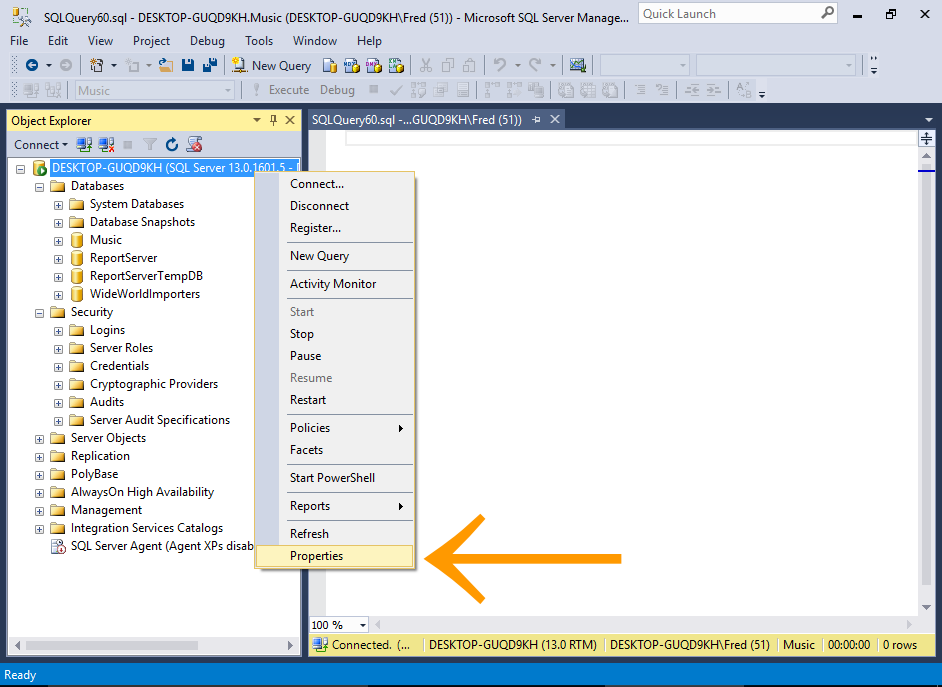
In the Object Explorer, right-click on the server node and select Properties.
-
Change the Authentication Mode
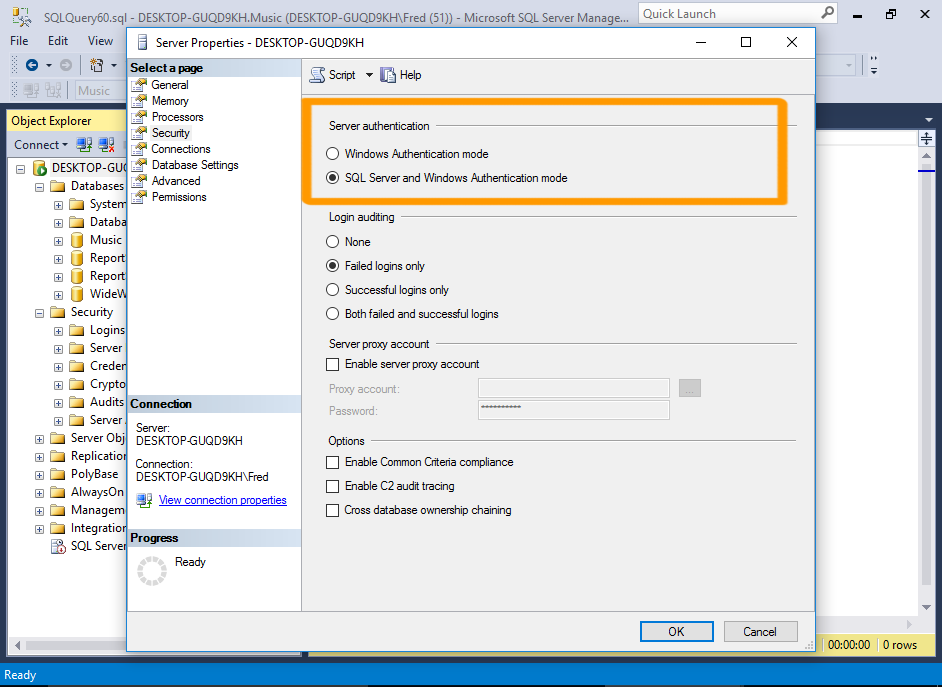
Click on Security in the left menu.
Under the Server authentication heading, select SQL Server and Windows Authentication mode.
Click OK.
-
Acknowledge Warning
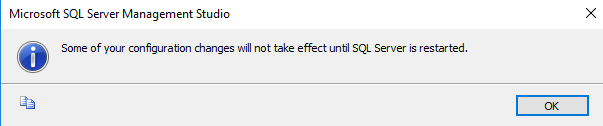
Click OK again if you get a warning that the changes won't take effect until the server has been restarted.
-
Restart the Server
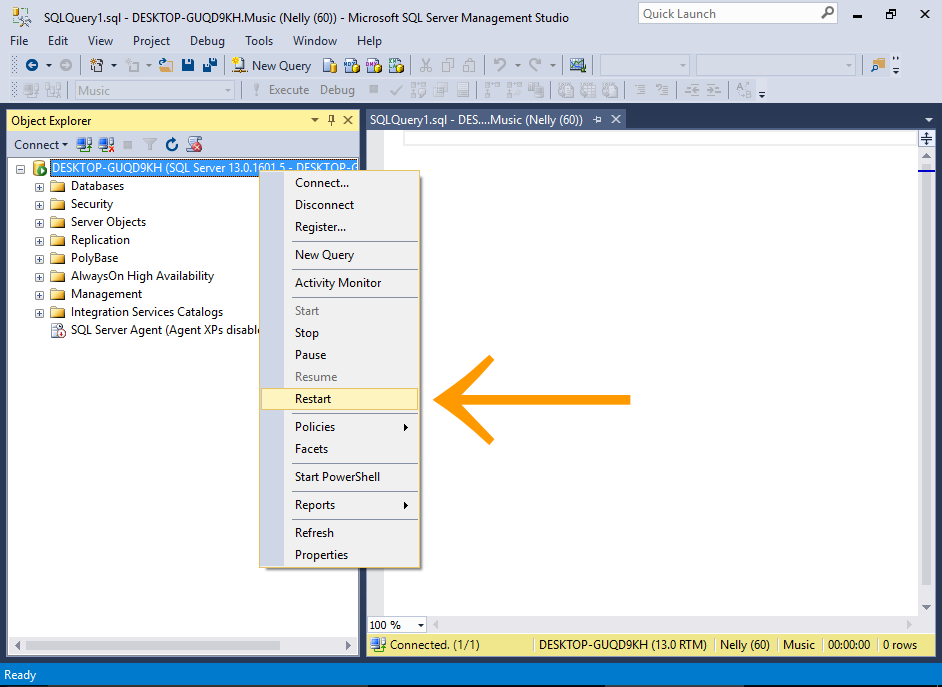
In the Object Explorer, right-click on the server and select Restart from the contextual menu.
Once the server has been restarted, you should be able to log in using SQL Server Authentication.
Logins vs Users
Logins and users are two different things in SQL Server.
- A login grants the principal access to the server.
- A user grants a login access into a particular database.
So the above login is allowed to connect to SQL Server. However, at this stage, none of the databases on the server have a user associated with this login.
We'll do that next. We'll create a database user, and associate it with the above login.