
SQL Server 2016: Create a Database
Create a database using the SQL Server Management Studio GUI.
In SQL Server, you can create a new database either via the SQL Server Management Studio graphical user interface (GUI), or by running an SQL script.
Create a Database using the GUI
Here, we will create a database using the GUI method.
-
Create a New Database
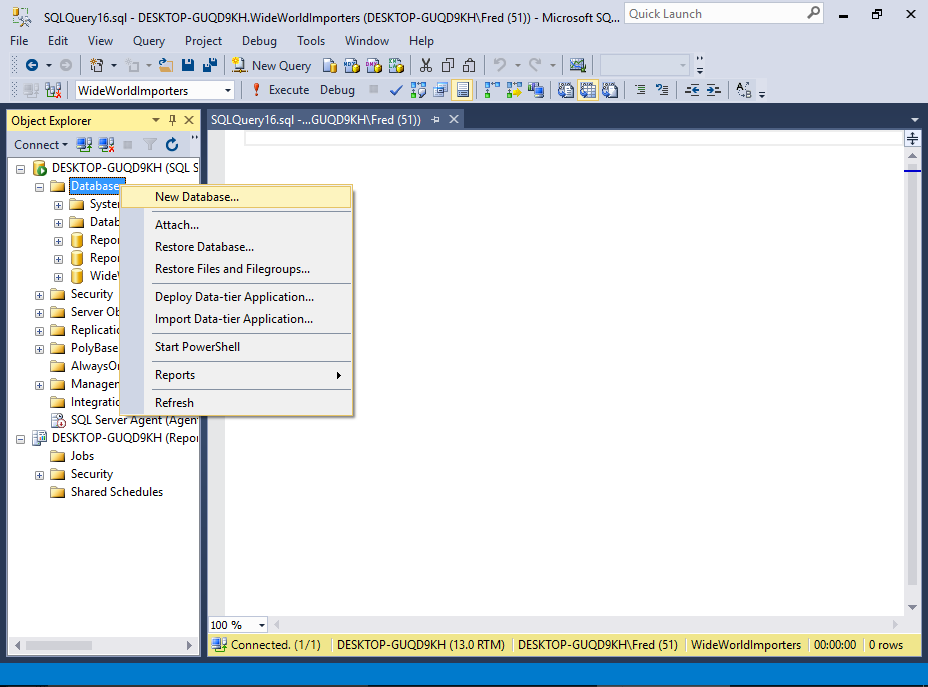
Ensure that the correct server is expanded in the Object Explorer.
Right-click on Databases and select New Database... from the contextual menu.
-
Name the Database
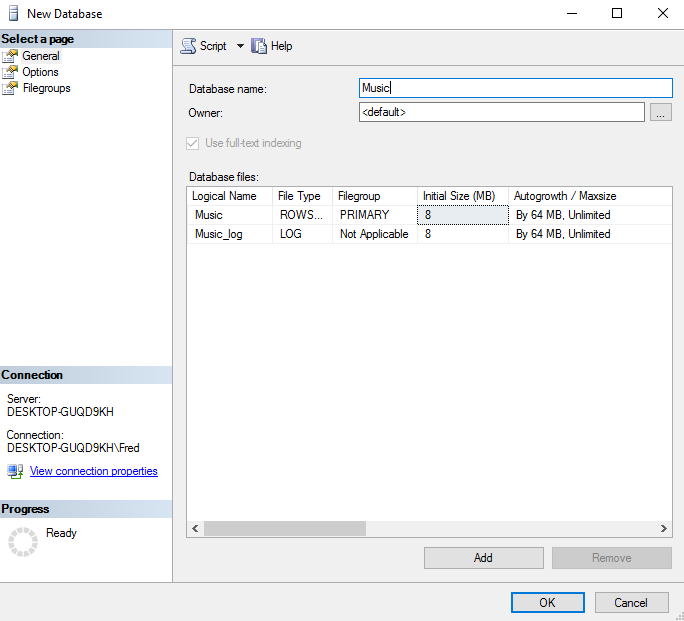
Enter a name for the database and click OK.
For this tutorial, I named mine Music, as we'll be creating a database to store data related to music (i.e. artists, albums, etc).
You can change any of the settings in the New Database dialog before you click OK.
For this tutorial, we'll just leave it at the default settings.
-
The New Database
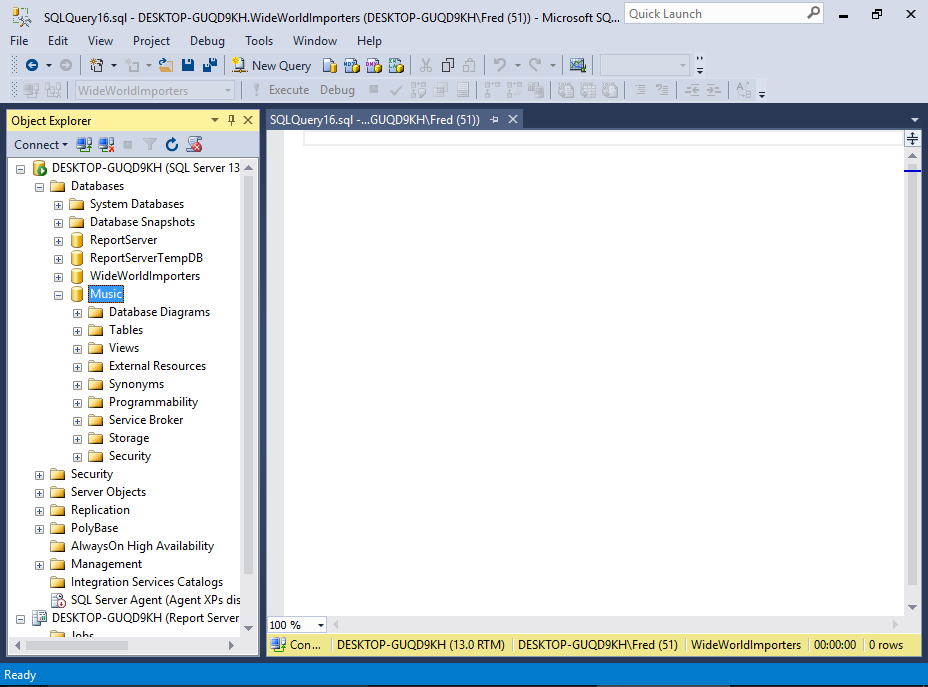
The new database is now listed in the Object Explorer, under Databases.
If you expand it, you'll see further expandable nodes, each for a specific purpose. For example, one for tables, another for views, etc.
Create a Database by Script
SQL Server accepts Transact-SQL (which is an extended version of the SQL standard), so you could create the same database by running the following SQL script.
To do this, open a new query by clicking New Query in the toolbar and run an SQL CREATE DATABASE statement.
If you're not sure how to run a query, we'll cover that soon, when we create a table via script.
Just as you can specify certain properties when creating a database via the GUI, you can include those same properties when creating a database by script. Here's an example of specifying settings for the data and log files.
System Databases
When you create a new database, the database is created based on the model database. This database provides the template for any new database that you create.
The model database is a system database. When you install SQL Server, the following five system databases are created.
- master
- This database stores system level information such as user accounts, configuration settings, and info on all other databases.
- model
- This database is used as a template for all other databases that are created. Any modifications to this database are applied to any new databases created thereafter.
- msdb
- This database is used by the SQL Server Agent for configuring alerts and scheduled jobs etc
- Resource
- This is a hidden, read-only database that contains system objects that are included with SQL Server. System objects are physically persisted in the Resource database, but they logically appear in the sys schema of every database.
- tempdb
- This one holds all temporary tables, temporary stored procedures, and any other temporary storage requirements generated by SQL Server.
Note that you'll only see four databases listed under System Databases in the Object Explorer, because the Resource database is hidden (although it can be accessed programatically).