
SQL Server - SQL Query Analyzer
Note that this tutorial uses the 2000 edition of SQL Server (SQL Server 2000).
For the latest version, see SQL Server tutorial.
The SQL Query Analyzer is the main interface for running SQL queries against your database. You can use the SQL Query Analyzer to create and run adhoc scripts, or you can create SQL scripts and save them for later use.
Accessing SQL Query Analyzer
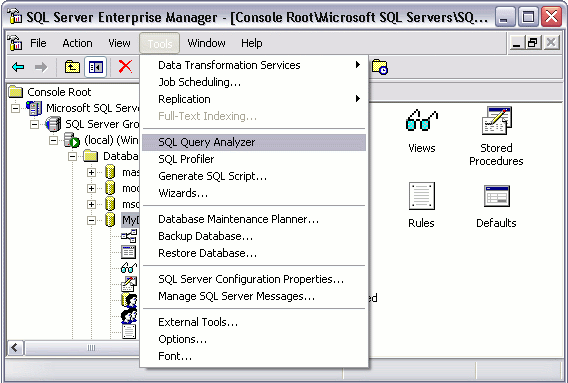
You can open Query Analyzer from Enterprise Manager by clicking Tools > Query Analyzer.
SQL Query Analyzer looks like this:
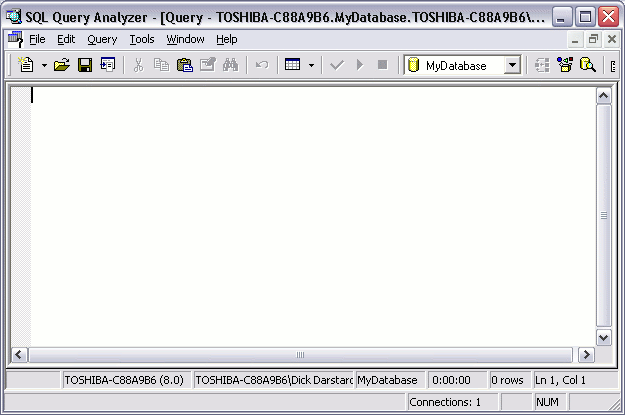
Tip: Before you open Query Analyzer, use Enterprise Manager to navigate to the database you'd like to work with. That way, Query Analyzer will open using that database.
Object Browser
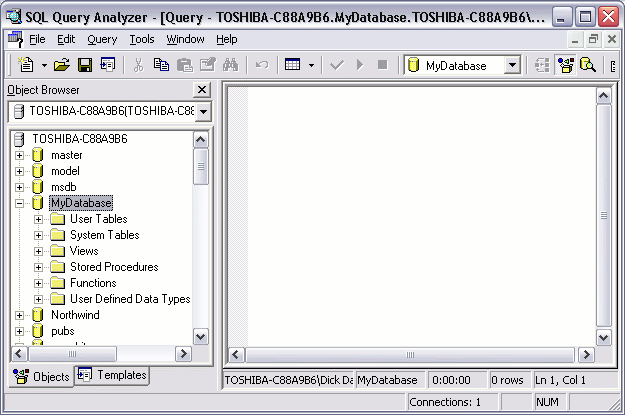
SQL Query Analyzer also has an "Object Browser" that you can use to browse and edit tables, views, and stored procedures. The Object Browser also displays a list of common SQL Server functions and their parameters.
To open the Object Browser, press F8. Alternatively, you can click the Object Browser icon  on the toolbar. Another way of showing the Object Browser is to go Tools > Object Browser > Show/hide. The Object Browser displays to the left of your workspace.
Writing Queries
You are now ready to write SQL queries against your database. You can use this interface to create database objects (such as databases, tables, views etc), insert data into a database table, select data, update data, delete data.
The following screen shot shows an example of using a SQL 'select' statement to select data from a database:
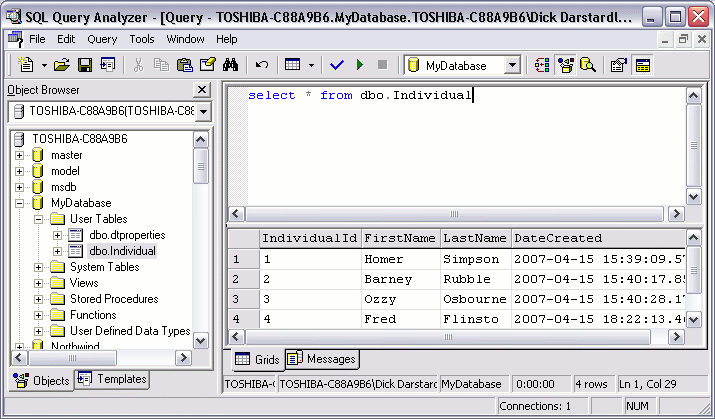
When I started creating the above example, I forgot the name of the table that I wanted to select data from. That wasn't a problem. All I needed to do was navigate through the Object Browser until I saw the names of the tables in the left pane. When I saw the table I needed, I simply clicked and dragged it onto the workspace area (and releasing the mouse in the right spot). This is quite a nice feature of Query Analyzer/Object Browser as it can save you time.
As you can see, the results of the query are displayed in the bottom pane.
The above 'select' statement is an example of a SQL query. Apart from the occasional example, SQL queries are outside the scope of this tutorial. If you'd like to learn more about writing SQL queries, check out the SQL tutorial.
Database Administration Tasks
Most of the database administration tasks that can be performed in Enterprise Manager (through the user interface) can be performed (programatically) in Query Analyzer. This tutorial concentrates on the Enterprise Manager method, mainly because it's usually a lot easier for new users to get their head around. Once you become more familiar with SQL Server, you may find yourself using Query Analyzer to perform many of the tasks that you started out doing in Enterprise Manager.