
Access 2016: Create a Database
Create a database in Access 2016 from either the File menu or the Welcome screen. Create a blank database or choose a template.
Microsoft Access 2016 allows you to create either a blank database, or one that's based on a template. A template is like a pre-built database that you can use as a starter for your own database.
In this tutorial, we'll create a blank database, then add tables, data, and other objects to it.
Create a Blank Database
Let's go ahead and create a blank database.
-
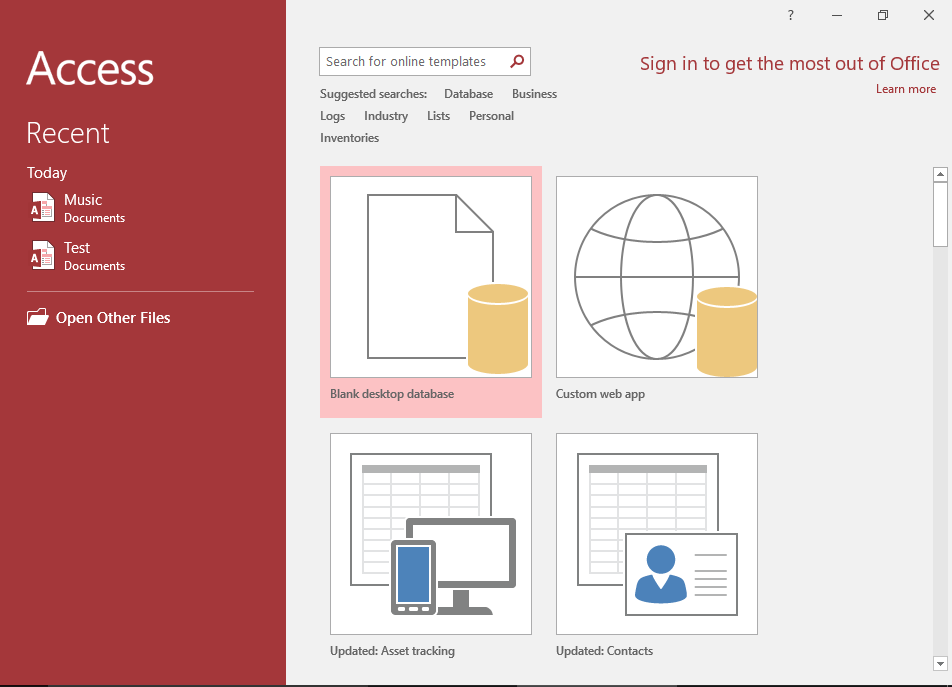
Select a Blank Database
You can create a database from two different places:
From the Access Welcome screen
Click Blank desktop database from the Access "welcome" screen (the screen that is displayed when you first open Access).
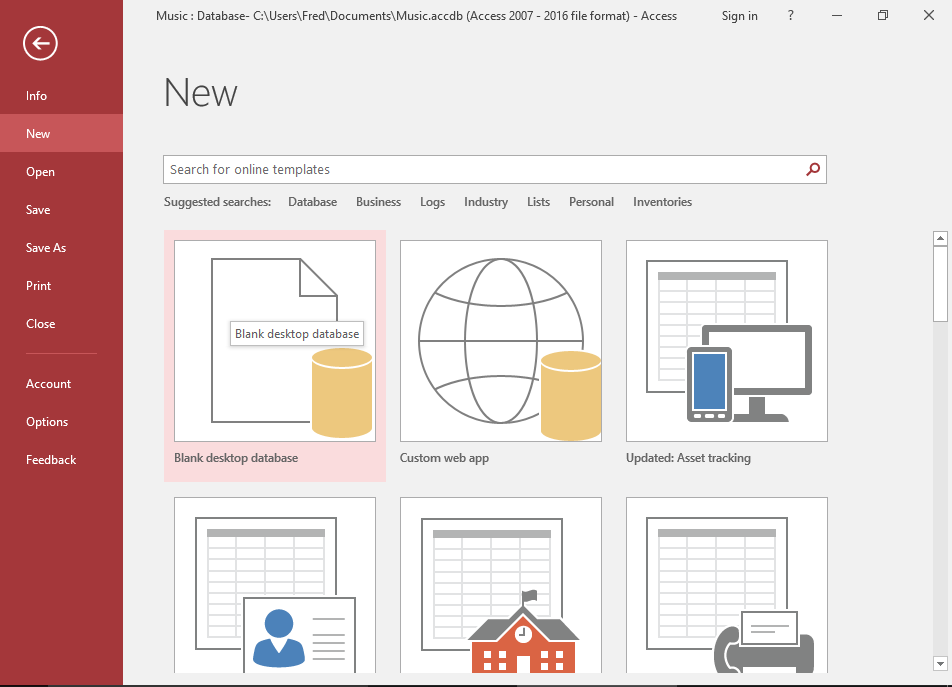
From the File > New menu
Alternatively, if you already have another Access database open, you can go to the File menu at the top-left corner of Access, then click New to bring up the same options.
Click Blank desktop database to create a new database.
-
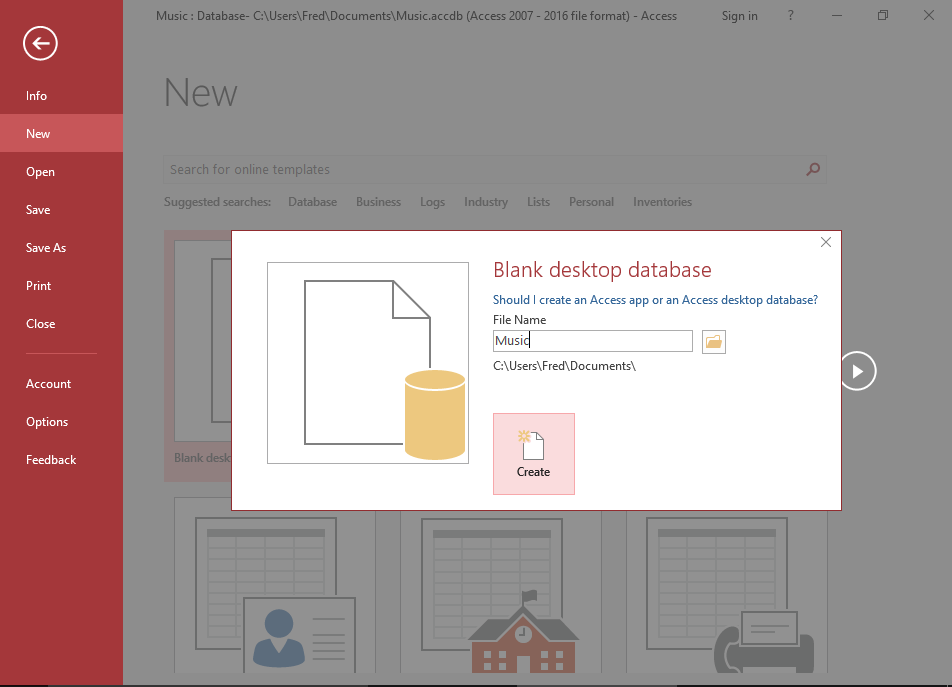
Name the Database
Name the database at the prompt.
For our tutorial, we'll name it Music, as we'll be creating a music database.
-
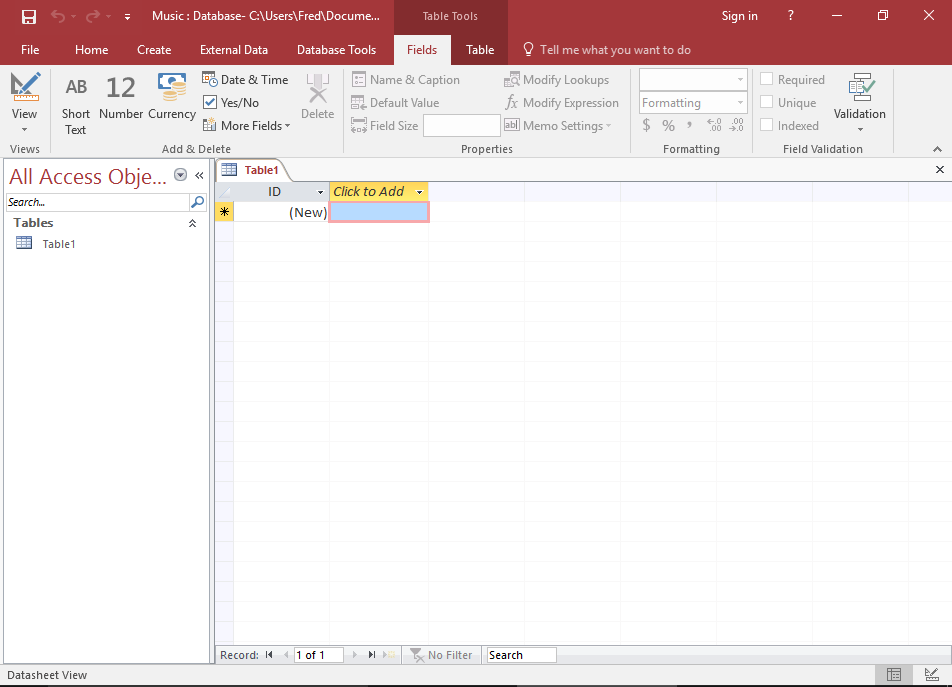
Your New Database!
Your new database has now been created. It's a blank database with a table that is ready to be configured.
You'll see the menu at the top, and the Ribbon below it containing various options for customizing your database. We'll be working with them throughout this tutorial.