
Introduction to HTML
HTML, which stands for Hypertext Markup Language, is the standard markup language used to create web pages.
HTML consists of HTML elements, which define the different parts of the document. The web developer uses HTML tags to specify which elements go on a given page. For example, you can use HTML tags to specify headings, paragraphs, lists, tables, images and much more.
What do I need to create HTML?
You don't need any special equipment or software to create HTML. In fact, you probably already have everything you need. Here is what you need:
-
Computer
This is probably an obvious one. Tablets should be fine too, and maybe even your smartphone.
-
HTML Editor
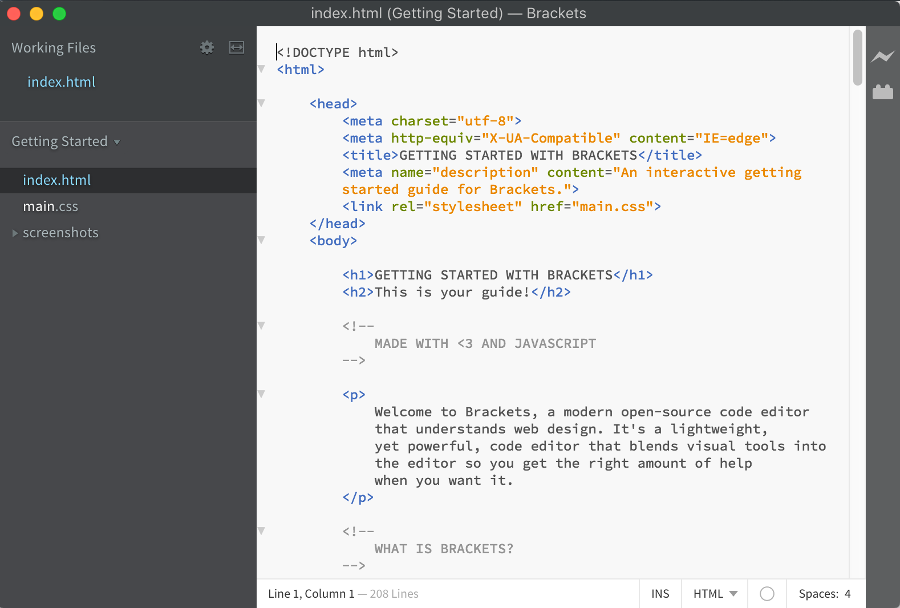
An HTML editor is an application that helps you create HTML pages.
While you can certainly create HTML documents using a simple text editor, an HTML editor will make your life easier — especially if you plan to write a lot of code.
HTML editors usually highlight your code so that it's easier to read, and they will typically have an autocomplete feature that picks up on what you're typing, and makes valid HTML suggestions.
Free HTML Editors
Many HTML editors cost money, but there are also a few free ones around.
Examples include Brackets (pictured), SeaMonkey, CoffeeCup free version (Windows) and TextPad (Windows).
Or a Text Editor
If you don't have an HTML editor, and you don't want to download one just now, a text editor is fine. The examples in this tutorial are simple enough to create with a text editor. Most computers already have a text editor.
Examples of text editors include Notepad (for Windows), Pico (for Linux), or Simpletext/Text Edit/Text Wrangler (Mac).
You can also use Quackit's online Scratchpad editor. Most of the examples in the tutorial actually link to this editor to show you the code and the result side-by-side.
-
Web Browser
To view the results of your HTML code.
OK, technically, you can create HTML without viewing the results, but where's the fun in that!
Do I need to be online?
No, you do not need to be online to create web pages. You can create web pages on your local machine. You only need to go online when you want to publish your web page to the web (this bit comes later).
The next lesson will show you how to create a web page in less than 5 minutes.
About HTML
HTML stands for Hypertext Markup Language, and it's the standard markup language used to create web pages.
HTML is a subset of Standard Generalized Markup Language (SGML) and is developed by the World Wide Web Consortium (W3C) and Web Hypertext Application Technology Working Group (WHATWG).
Is there an HTML Standard?
Yes. Actually, there's two standards... or three, depending on how you look at it.
The W3C Standard
One group, the W3C (World Wide Web Consortium), maintains the HTML5 specification, which is a "snapshot" of the specification at a particular point in time.
The W3C also maintains a HTML 5.1 Nightly
, which includes modifications to the specification that will be released at a later date (and under a new version number - HTML 5.1).
The WHATWG Living Standard
The other group, the WHATWG (Web Hypertext Application Technology Working Group), maintains what they call a Living Standard
for HTML. This is a standard that is continually updated.
There are no version numbers (i.e. it is HTML
not HTML5
). The standard can (and does) change on a regular basis. The reason behind this is in order to stay relevant with browser implementations. It can also avoid issues with browsers implementing features from a "snapshot" specification that potentially contains known bugs, issues or limitations.
Which Version to Use?
Fortunately, there are not many differences between the W3C's nightly document and the WHATWG's Living Standard.
If you want to implement the latest features (potentially with limited browser support), then the WHATWG Living Standard is probably the way to go.
If you prefer to keep your HTML documents strict to a specific, non-changing standard, then the W3C official recommendation is the standard for you.
The code in this tutorial adheres to both standards (unless otherwise specified).