|
HTML Home
Create a Website HTML TutorialHTML Tutorial HomeAbout HTML Getting Started HTML Elements HTML Formatting HTML Attributes HTML Colors HTML Links HTML Images HTML Meta Tags HTML Comments HTML Forms HTML Tables HTML Image Maps HTML Frames HTML Entities HTML Layouts HTML Styles HTML Scripts HTML Website Templates Website Hosting Summary HTML Code GeneratorsHTML Code GeneratorHTML Table Generator Marquee Generator Music Code Generator HTML Text Generator Text Box Generator Free HTML CodesHTML Background CodeHTML Comment Box Codes HTML Scroll Box Codes HTML Font Codes HTML Picture Codes HTML Marquee Code HTML Music Codes More Codes... HTML ReferenceHTML ExamplesComplete HTML Tag List HTML Special Characters Hex Color Codes HTML Help Got a MySpace Page?Get "www.yourname.com" for your MySpace page. Learn how >>. |
5 Minute HTML TutorialFor a more comprehensive tutorial, see the full length tutorial. This HTML Tutorial is for beginners. It teaches you HTML from the ground up - starting with the basics. Coding HTML is actually quite easy, which this tutorial will show. This HTML tutorial is separated into the following sections:
What does HTML stand for?HTML stands for HyperText Markup Language. What is HTML?HTML is a markup language used to create web pages. The web developer uses "HTML tags" to format different parts of the document. For example, you use HTML tags to specify headings, paragraphs, lists, tables, images and much more. HTML is a subset of Standard Generalized Markup Language (SGML) and is specified by the World Wide Web Consortium (W3C). OK, lets get straight into it. Getting startedWhen you create a web page you will usually do something like this:
Create an HTML fileAn HTML file is simply a text file saved with an .html or .htm extension (i.e. as opposed to a .txt extension).
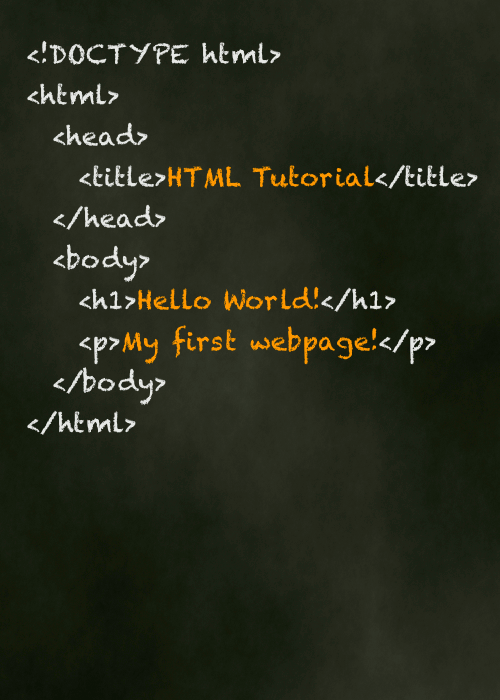
Type some HTML codeType the following code:
View the result in your browserEither...
...OR...
Explanation of codeOK, before we get too carried away, I'll explain what that code was all about. We just coded a bunch of "HTML tags". These tags are what tells the browser what to display and where. You may have noticed that for every "opening" tag there was also a "closing" tag, and that the content we wanted to display appeared in between. All HTML documents should at least contain all of the tags we've just coded and in that order. The <html> tag is kind of a container that all other tags sit inside. The <head> tag contains information that is not normally viewable within your browser, although the <title> tag is an exception to this. The contents of the <title> tag are displayed in the browser's title bar (right at the very top of the browser). The <body> tag is the main area for your content. This is where most of your code will go. Common HTML elementsThere are many HTML elements that can be used in a web page. Some of the common elements are:
This section of this HTML tutorial will incorporate all of the above elements. Using the previous file html_tutorial_example.html, add the following code anywhere between the Comments in HTMLComments are a part of the HTML code and is used to explain the code. This can be helpful for other HTML coders when trying to interpret someone elses code. It can also be useful for yourself if you have to revisit your code in many months, or even years time. Comments aren't displayed in the browser - they are simply there for the programmer's benefit. You write comments like this: <!-- Write your comment here -->
Comments always start with HeadingsThere are 6 levels of heading, specified with the following tags: <h1>, <h2>, <h3>, <h4>, <h5>, <h6> (with h1 being the largest and h6 being the smallest):
Bold/italic textFor bold text, use the <b> tag, for italic text, use the <i>
HyperlinksYou create hyperlinks using the a tag:
ImagesTo embed an image into a web page, the image first needs to exist in either .jpg, .gif, or .png format. You can create images in an image editor and save them in the correct format. To embed the image into your web page, use the <img> tag, specifying the actual location of the image.
ListsYou can create different types of lists in HTML. You create ordered (numbered) lists using the ol tag in conjunction with the li tag. You create unordered (unnumbered) lists using the ul tag, also in conjunction with the li tag. You create definition lists using the dl tag in conjunction with the dt and dd tags. Lets look at ordered lists and unordered lists:
TablesYou create tables using the table tag, in conjunction with the tr and td tags. There are other tags you can use with tables but these are the fundamental tags.
FormsYou create forms using the HTML form tag, in conjunction with other tags such as the input tag. There are other tags you can use with forms but these are the fundamental tags.
End resultOnce you've completed the above steps, your code should look something like this:
More HTML elementsSo far, we've only covered some of the more common HTML tags. There are a large number of HTML tags available to assist you in creating your web pages. For example, you can create frames using the frameset tag in conjunction with the frame tag. You can create an inline frame using the iframe tag. If you require advanced functionality, you can include a script to your HTML page (such as JavaScript) using the script tag. For more information, see the complete list of HTML tags. SummaryWe started this HTML tutorial by creating an HTML file and saving it with an .html extension. We then added some HTML code to the file, then viewed the result in our web browser. We then added some commonly used HTML elements such as headings, images, lists, tables etc. Finally, we learnt what tags can be used to add further elements to our page such as frames, inline frames and scripts. Next stepsYou can build on the knowledge covered in this tutorial to add more advanced features to your web pages. I recommend the following:
Also, check out the massive collection of professionally designed website templates. These can help you get a website up and running in no time. Then, you can customize it using your knowledge of HTML! Enjoy this website?
Oh, and thank you for supporting Quackit! |
FREE Hosting!With every domain name you register with ZappyHost, you get FREE (ad supported) hosting.PLUS you get:
Featured Template:
(Build your websites in minutes!) |